세콤, 캡스, KT텔레캅 연동으로 손쉽게 출퇴근 하세요!


1. From the bottom menu tab in the app (Leader/Employee mode), select [AI Chatbot].
2. Check the list of AI Chatbots for which you have been assigned as a users.
💡 If the list is not visible, please contact your company's Admin.
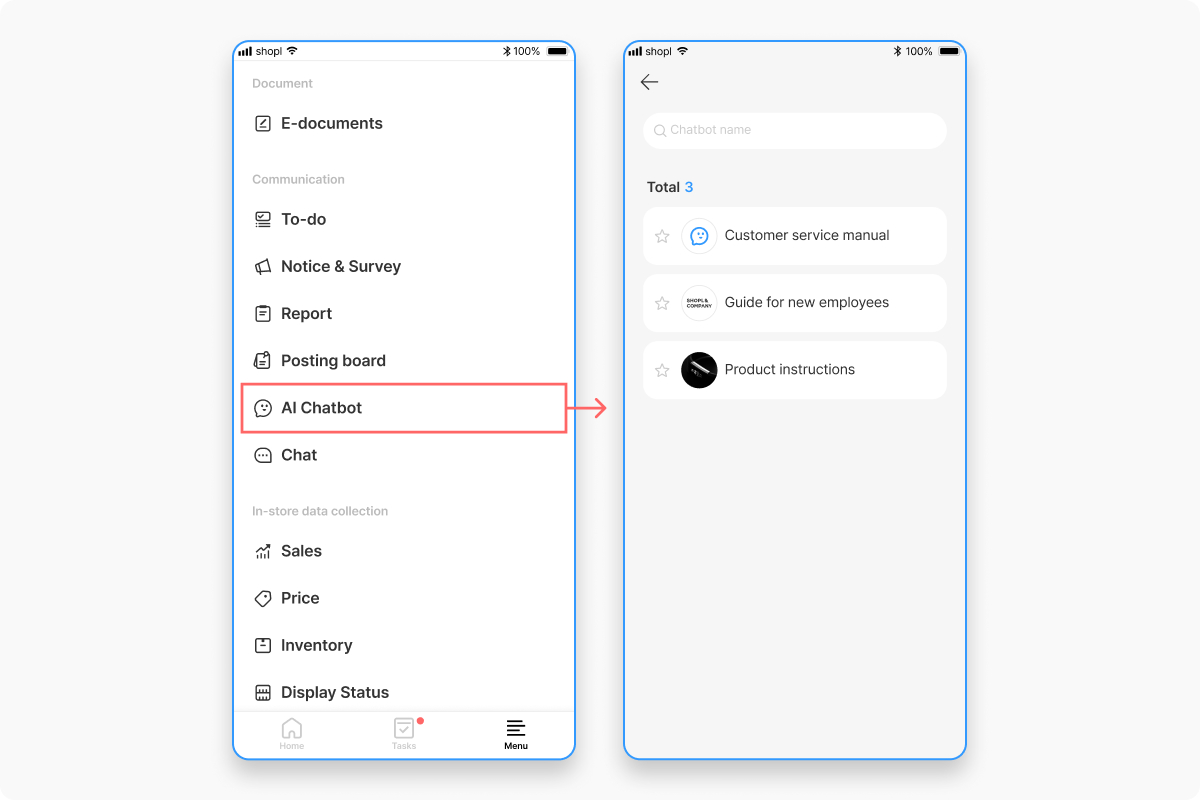
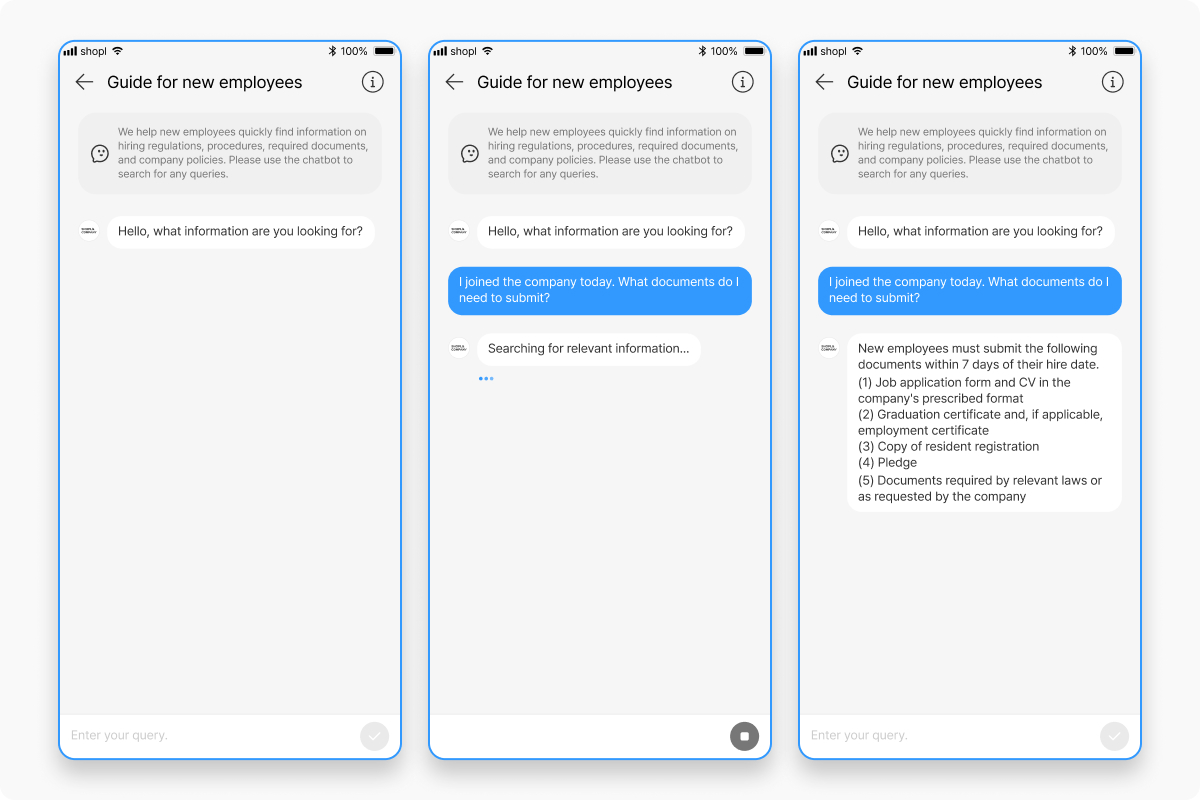
3. Select the AI Chatbot on the topic you want to chat about to enter the chat room.
4. Enter your question as text and send it, then check the response.
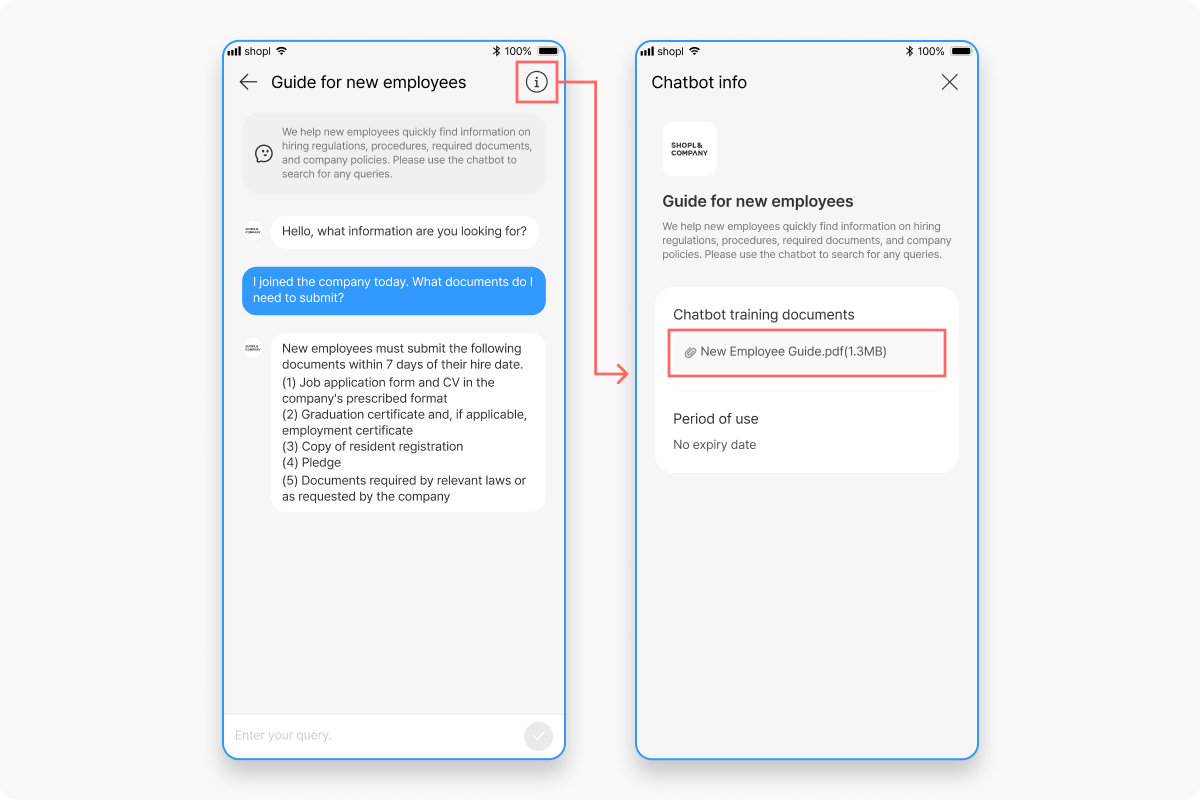
1. Select the [ i ] (Info) button in the upper-right corner of the chat room.
2. You can check the user guide, training document, and period of use for that chatbot.
3. If viewing the training document is allowed, you can tap the document name to view the original files directly.