
샤플 이용료 80% 지원 받기
😮💨 When an attendance issue comes up, you're caught in an uncomfortable spot — you can't just take an employee's word for it, but you also can't accuse someone without proof. Most of the time, the situation gets closed out on verbal reports alone. Then, when things escalate, the regret sets in: "If only we'd had a record of that."
This is especially true in stores or warehouse and logistics sites where multiple employees work together. Knowing exactly who was where at a specific time could settle most disputes quickly — but without the right tools, that's rarely possible.
👉 Shopl's Check location feature gives you that visibility. Review an employee's location history in chronological order, and send an instant Check location request whenever you need a real-time status check.
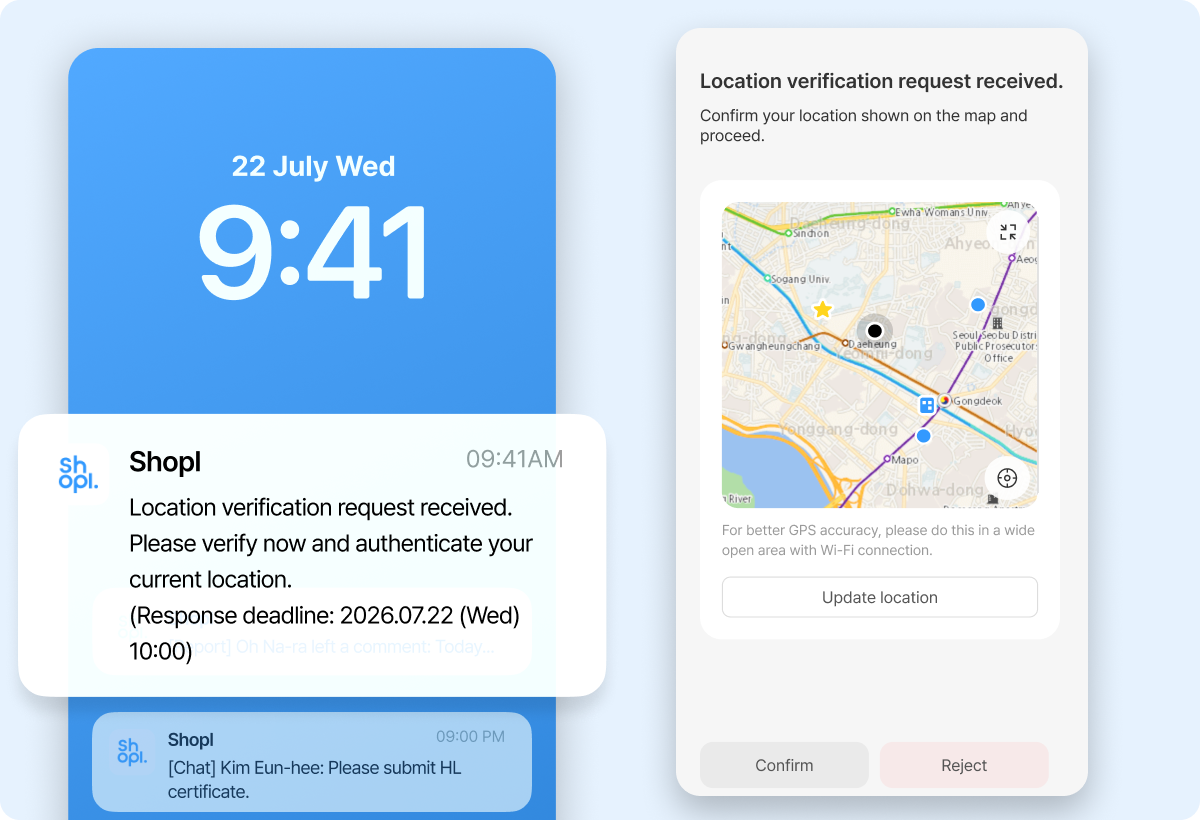
Responding to attendance issues matters — but preventing them from happening in the first place matters more.
With Shopl, you can schedule Check location requests to go out randomly throughout a shift. Employees know a check could come at any time, which keeps them accountable and discourages unauthorized departures. It's a low-friction way to maintain standards without constant manual oversight — and it shifts your approach from reactive to preventive.
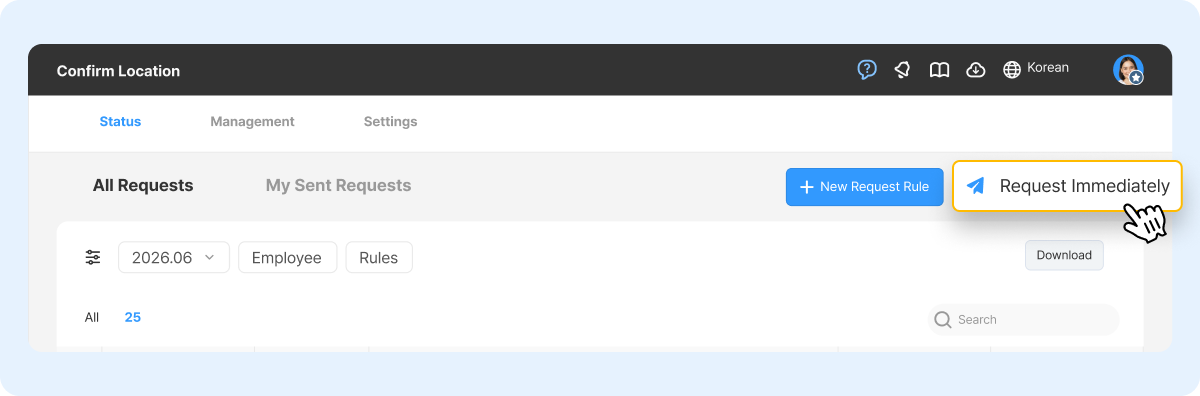
When an attendance issue is unfolding right now, the priority is confirming where an employee is at this moment — not reviewing last week's history.
Shopl lets you send an instant Check location request to a specific employee and get an immediate read on whether they're at their assigned workplace. Every response is automatically logged, so you don't need to call, message on WhatsApp, and manually write things down. The record is already there when you need it for follow-up.
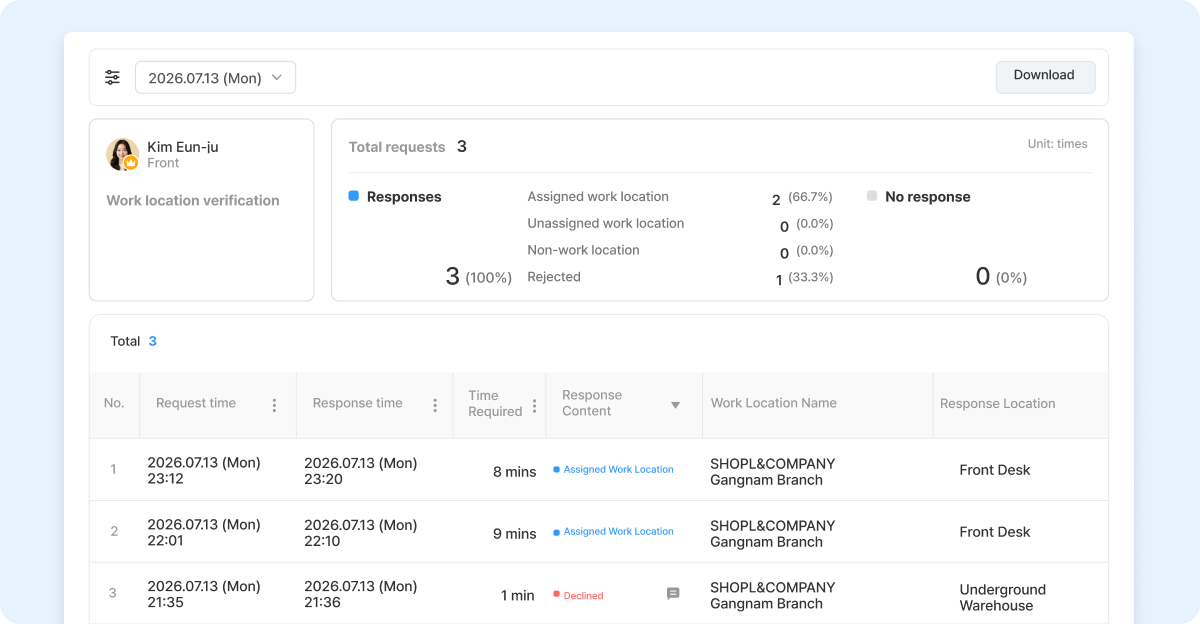
Stop relying on memory or employee accounts to piece together what happened. With Shopl, selecting a specific employee pulls up their full location history — organized by date and time, with a map view alongside the log. You can see at a glance whether the employee was at their workplace during the time in question, and build your response on facts rather than guesswork.
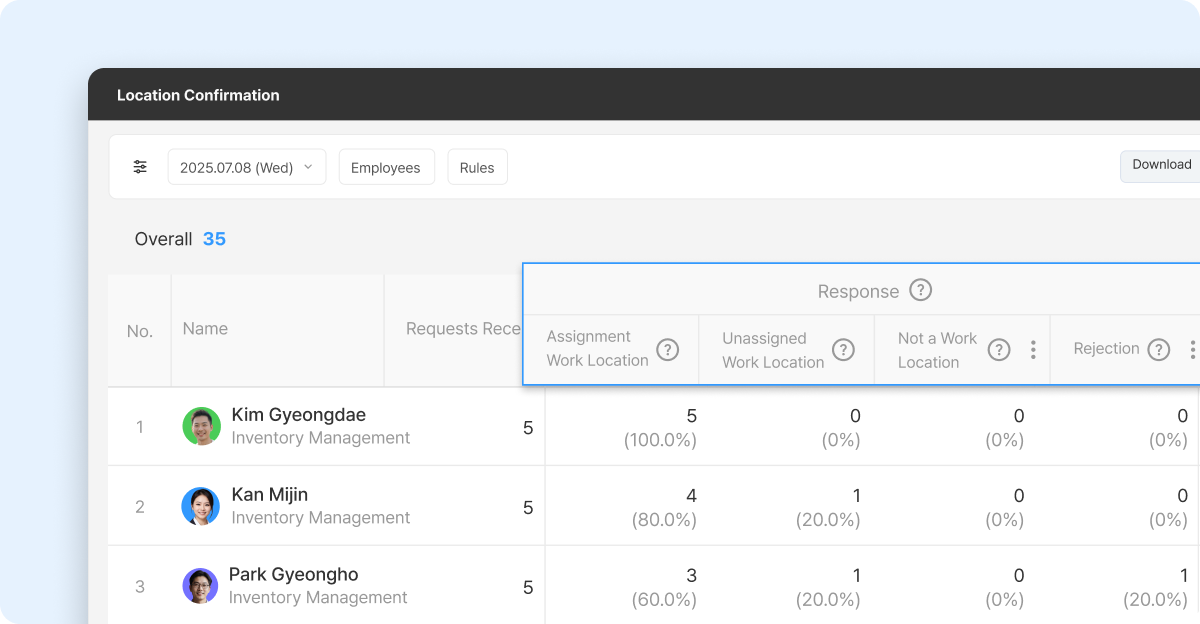
Most attendance issues involve more than one person — and a single employee's record rarely tells the whole story. Shopl lets you view location histories for multiple employees side by side across the same time period, so you can see who was on-site, who wasn't, and where everyone actually was. That cross-referenced view makes it far easier to assess a situation objectively, without having to rely on any one person's account.
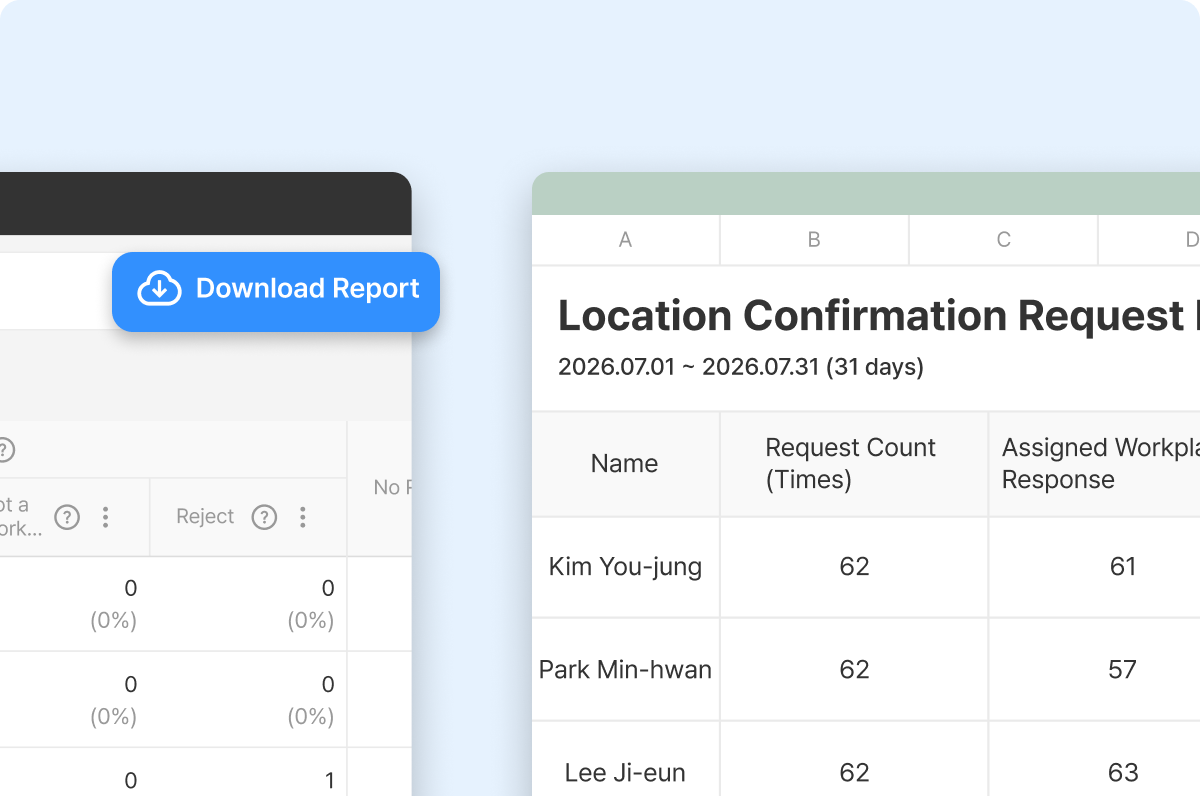
When an attendance issue needs to be escalated or documented, you need records that are already organized — not data you have to scramble to collect.
In Shopl, all Check location results are automatically accumulated in a dashboard, so there's nothing to screenshot or manually compile. Location verification records for each employee can be accessed directly from the web and downloaded as an EXCEL Report, ready to share with other admins or attach to an internal report. No extra documents to create. The evidence is already there.
A. You can access location history going back up to 370 days. Search by day, week, or month — whether you're verifying attendance on a Specific date or pulling records from a past incident to support an investigation.
A. Location history is available to Admin accounts only. Employees can only see the Check location requests they've received and their own responses.
A. If location permissions are deactivated on an employee's device, Check location may not work correctly. To avoid gaps in your records, make sure employees enable location permissions before they start — brief your team on this during onboarding or your next team check-in.













