샤플 이용료 80% 지원 받기

😮💨 Your HQ sends out an important notice — but days later, you still have no idea who actually read it. Sound familiar?
Chasing down individual employees to confirm they've seen a notice takes time you don't have, and the real work of managing your stores keeps piling up in the meantime.
👉 With Shopl's [Notice & Survey] feature, you can send notices, track who's read them in real time, and automatically re-notify anyone who hasn't — all in one place.
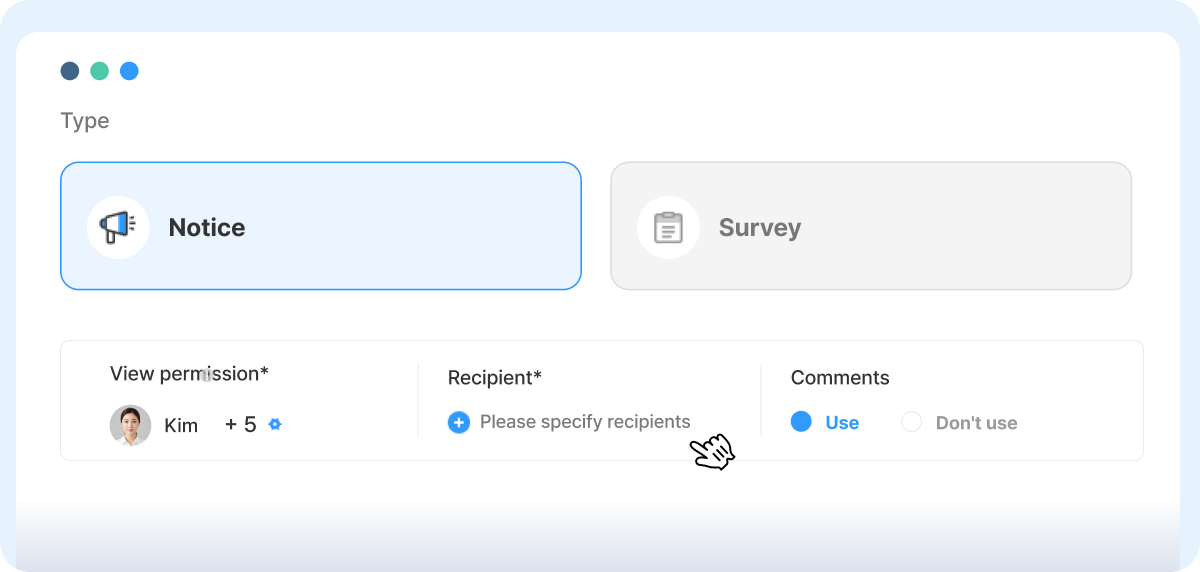
When creating a notice, you can define your audience by Store, job level, or individual Employee — as broadly or as specifically as you need. Whether you're pushing a General notice to every location or targeting a single Store, it takes just a few clicks to make sure the right people get the right message.
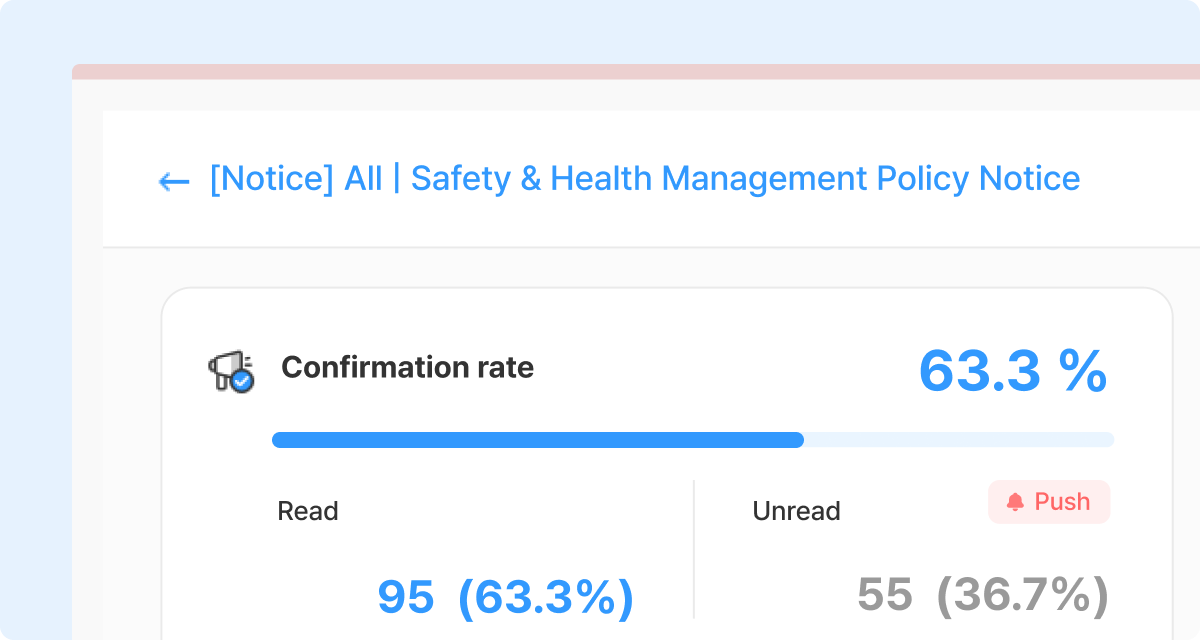
After Sending a notice, you can monitor Read/unread Status in real time.
Per-Employee confirmation is visible alongside the overall read rate, so you can immediately gauge how widely the notice has landed — and put an end to the back-and-forth Phone calls just to confirm whether someone saw it.
Need to check on one particular Store? Apply the store filter to see only that location's Status, making it easy to stay on top of things even across a large store network.
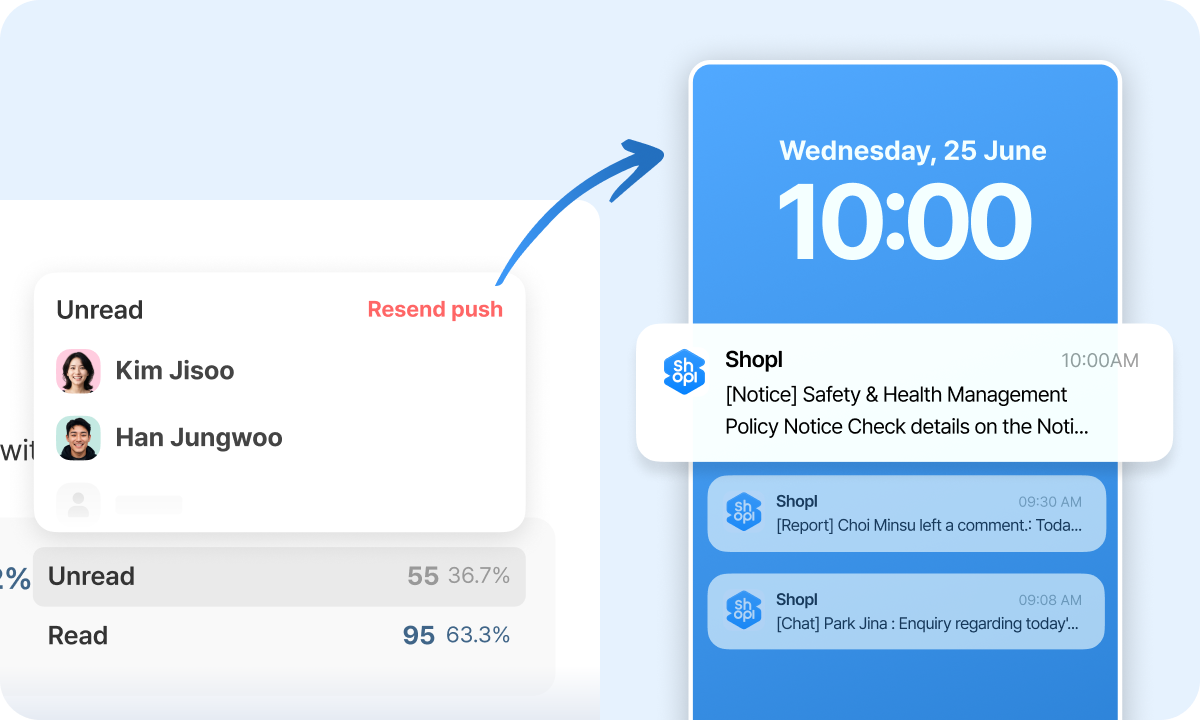
For anyone who still hasn't read the notice, Shopl can send an automatic reminder. Unconfirmed employees are filtered out automatically — no need to compile a list manually. You can re-send Notifications to Exactly those people without lifting a finger beyond clicking Send. The time and effort spent chasing Repeat confirmations drops significantly.
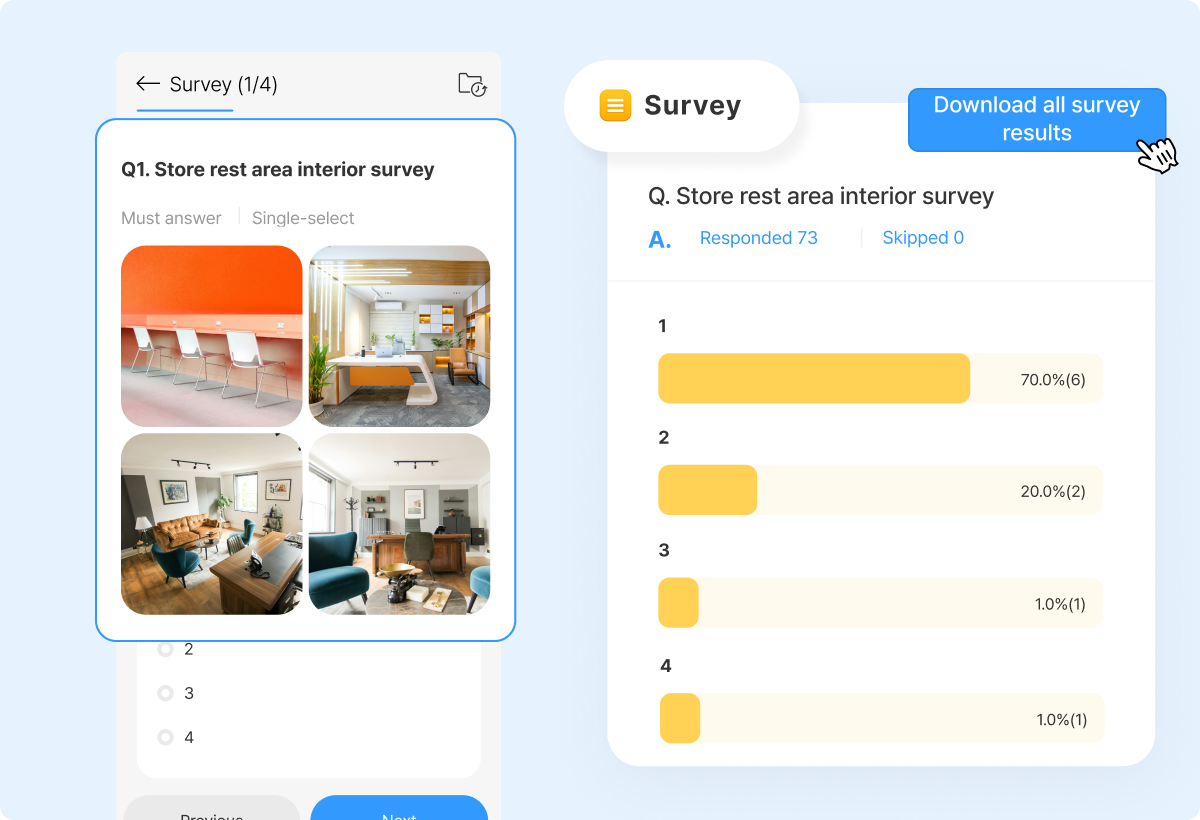
When you run a survey-type notice, all collected Responses can be exported directly as an EXCEL file. There's no need to copy answers manually or compile results in a separate tool — you can move straight to Analysis or drop the data into a report. The same approach works just as well for regular store inspections or gathering feedback from your locations.
A. Yes, you can.
In the Status screen, apply the store filter to view the confirmation Status for any individual Store on its own. From there, you can also choose to send a re-notification to that Store only, if needed.
We've walked through how to confirm whether employees have actually read a notice sent from HQ — and how to re-notify anyone who hasn't, without the usual back-and-forth.
If managing a single notice used to take up most of your day, let Shopl handle it for you — quickly, cleanly, and without the follow-up headaches.