
샤플 이용료 80% 지원 받기

A free Shift Exchange Form for recording shift swaps, employee details, schedule changes, and manager approval in one clear document.


A useful shift exchange form should give the manager enough information to review the request without having to go back and forth with the employees.
At a minimum, include:
For teams where employees have different roles or responsibilities, it is also helpful to check whether the employee taking the shift is able to perform the required duties.
Two employees may agree to swap shifts, but that does not automatically mean the schedule has been updated.
The manager should review the request before the change takes effect. This helps prevent situations where employees and managers are working from different versions of the schedule.
Chat is useful for quick communication, but it is not always the best place to keep a record of schedule changes.
Important messages can get buried as new conversations come in. A separate shift exchange form makes it easier to check what was requested, who agreed to it, and whether the change was approved.
Recording an approved shift exchange is only part of the process. The updated shift also needs to be reflected in the current schedule.
Otherwise, the manager may see one employee assigned to the shift while the employee who agreed to the exchange believes they are responsible for it. Keeping the approved request and the latest schedule aligned helps prevent this kind of confusion.
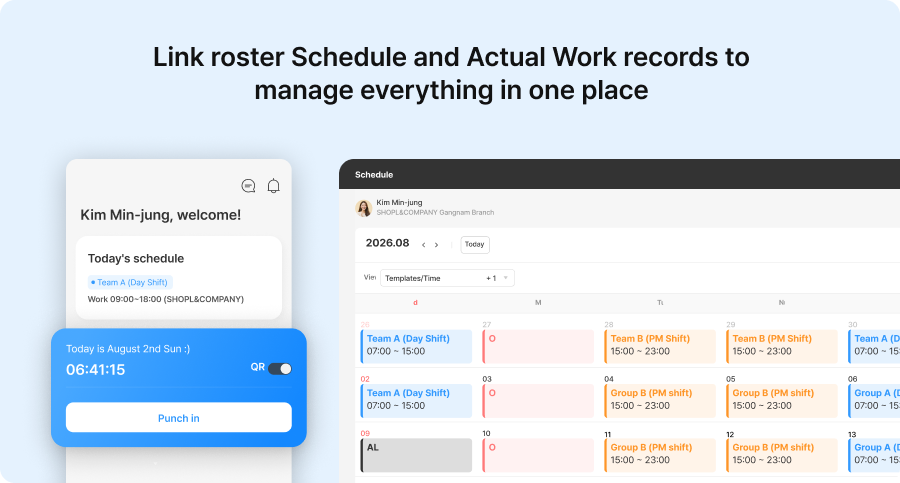
When shift changes happen frequently, managing schedules, chat messages, and manual records separately can lead to missed updates and scheduling confusion.
With Shopl, managers can create shift schedules and share updated shifts with employees, while also checking actual working hours based on attendance records. When employees need to request a shift change, they can submit the request easily from their mobile device and keep approval records organized, making recurring schedule changes easier to manage.












