샤플 이용료 80% 지원 받기

A pay stub template to record and organize employee payroll details. Track earnings, deductions, and net pay clearly for more transparent payroll management.


After every payday, the most common question employees ask is: "How was my pay calculated?"
For teams with hourly workers, shift-based schedules, or staff spread across multiple locations, the final payout can vary depending on hours worked and which allowances apply. A clear pay stub answers that question before it becomes a complaint.
When earnings and deductions are broken down line by line, employees can verify their pay without needing to contact HR. Managers can pull up past records immediately — no digging through email threads or asking around.
A good pay stub gives employees everything they need to understand their compensation at a glance. Here's what to cover:
Employee Information
Keep this section to the essentials. Avoid including unnecessary personal data.
Earnings
List every pay component clearly:
If you manage hourly or shift workers, include hours worked alongside the pay amount. It makes the calculation transparent and reduces back-and-forth.
Deductions
Break out each deduction separately:
Showing a single lump-sum deduction is one of the fastest ways to generate employee questions. Itemizing keeps things clear.
Payment Summary
Wrap up with the numbers that matter most:
Before sending any pay stub, cross-check these four things:
A small calculation error can shake employee trust quickly. Build a review step into your payroll process — it takes minutes and prevents bigger problems.
Pay stubs don't stop being useful after payday. Employees may request past records. Managers may need to review previous payments during disputes or audits.
Keep documents organized by employee and date. Storing everything in email attachments or on a personal laptop creates real risks — especially when a manager leaves or changes roles. If the records aren't easy to access, they're not really records at all.
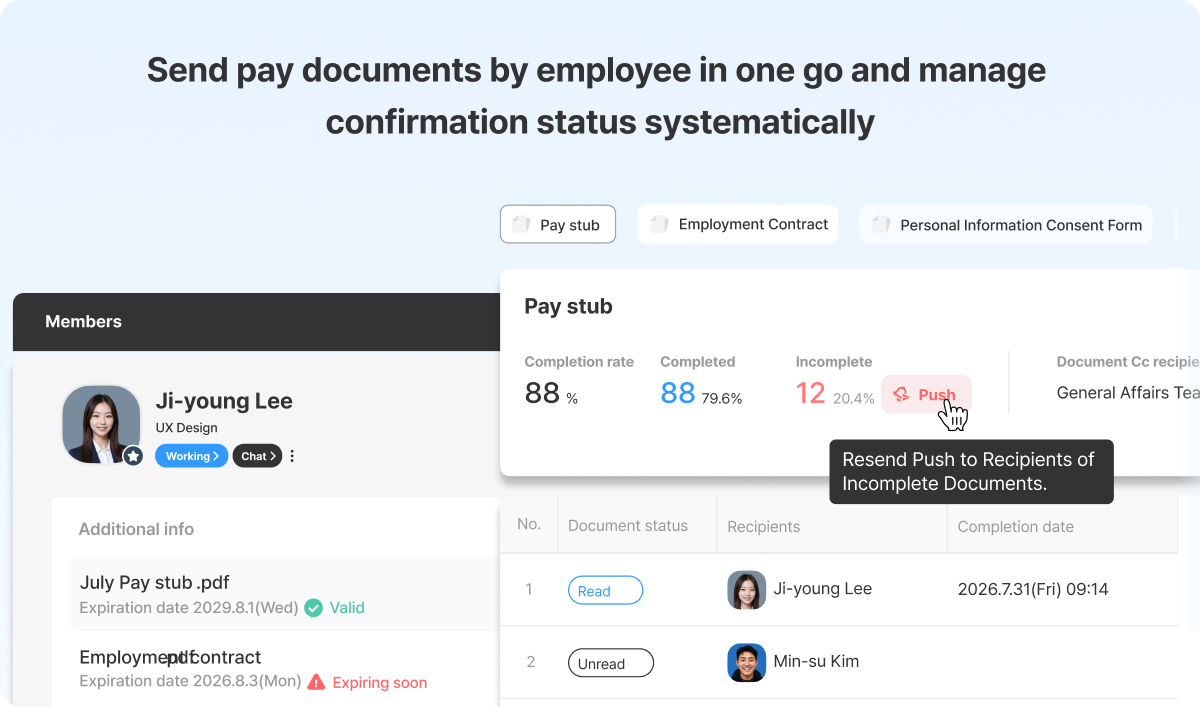
Still sending pay stubs one by one each month?
Shopl's [e-document] feature lets you upload your existing template, auto-populate employee details, and distribute to your entire team in one step — regardless of headcount.
Send pay stubs digitally, track who has viewed them, and keep all records in one place. When you need to pull up a past document, it's there — no searching, no waiting.
If pay stub distribution is taking more time than it should, Shopl e-document is worth a look.