
샤플 이용료 80% 지원 받기

A practical Cleaning Checklist for organizing cleaning tasks by area, frequency, and assigned staff. Track completion and maintain consistent cleaning standards across stores, offices, and other spaces.


The right checklist depends on your space and how often each area needs attention. At a minimum, most cleaning checklists should cover the following sections.
Remove any sections that don't apply to your space, and add tasks specific to areas your customers or staff use most frequently.
Avoid broad instructions like "clean the store." Break tasks down into specific items — floors, restrooms, windows, bins — and assign each one to a named person or shift. For locations running multiple shifts, dividing responsibility by zone prevents gaps and duplication.
Not everything needs to happen daily. Splitting tasks into daily, weekly, and monthly categories helps your team focus on what's actually due — without skipping anything important. For example, floors and bins are typically daily tasks, while windows and vents can be handled weekly or monthly.
A checklist is only useful if it captures what actually happened. Have staff check off or sign each task after completing it. This gives managers visibility into cleaning progress without needing to physically inspect every area — and creates a record you can refer back to if issues come up.
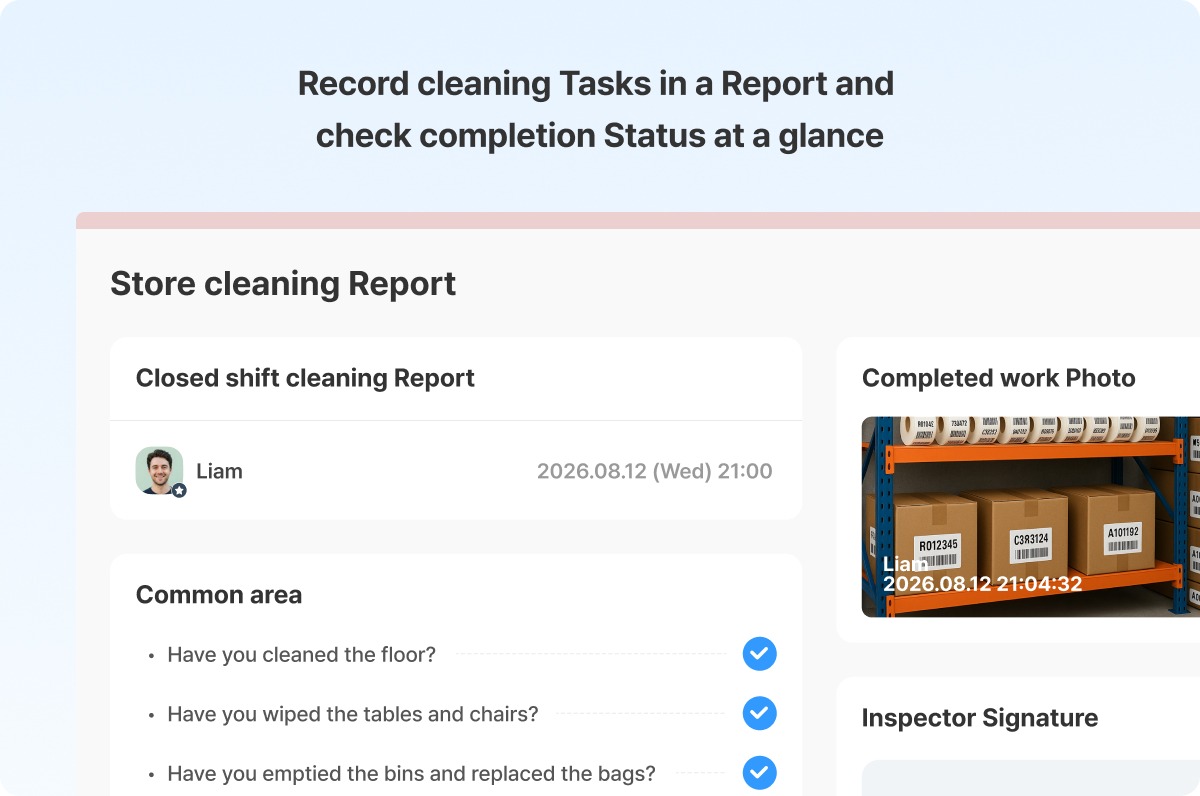
Shopl's Report feature lets you build and distribute cleaning checklists digitally. Set up the areas and tasks in advance, and staff can check off completed items and submit directly from their mobile device.
Managers can review submission status across all locations in real time — no paper forms, no follow-up calls. With photo attachments and checklist items built into each report, you get more than a simple "done" confirmation: you get a clear picture of actual cleaning conditions on the ground.
If you want to standardize cleaning expectations across locations and verify that work is being done consistently, Shopl's Report feature is a practical way to make that happen.












