
샤플 이용료 80% 지원 받기

A flexible approval form for purchase, expense, equipment, and other business requests. Record request details, costs, approvers, and decisions in one place.


The exact fields depend on the type of request, but a well-structured approval form typically covers the following.
✅ TIP. Only include fields the approver actually needs to review. Too many fields slow down the process and make the form harder to complete consistently.
Be clear about which requests require approval, who approves them, and when escalation to a second approver is needed.
For example, minor store supply purchases might only need a store manager's sign-off, while requests above a set amount require additional approval from the operations or finance team.
Setting these rules upfront prevents requests from going to the wrong person — or getting lost in the process entirely.
It's not enough to store just the approval outcome. You need to be able to see what was originally requested alongside the final decision.
When requests sit in email, files live in a shared drive, and approvals come through a messenger app, piecing things together later becomes a real problem.
Keeping everything in one place makes it easy to confirm what was requested, what was approved, and whether the scope changed at any point after approval.
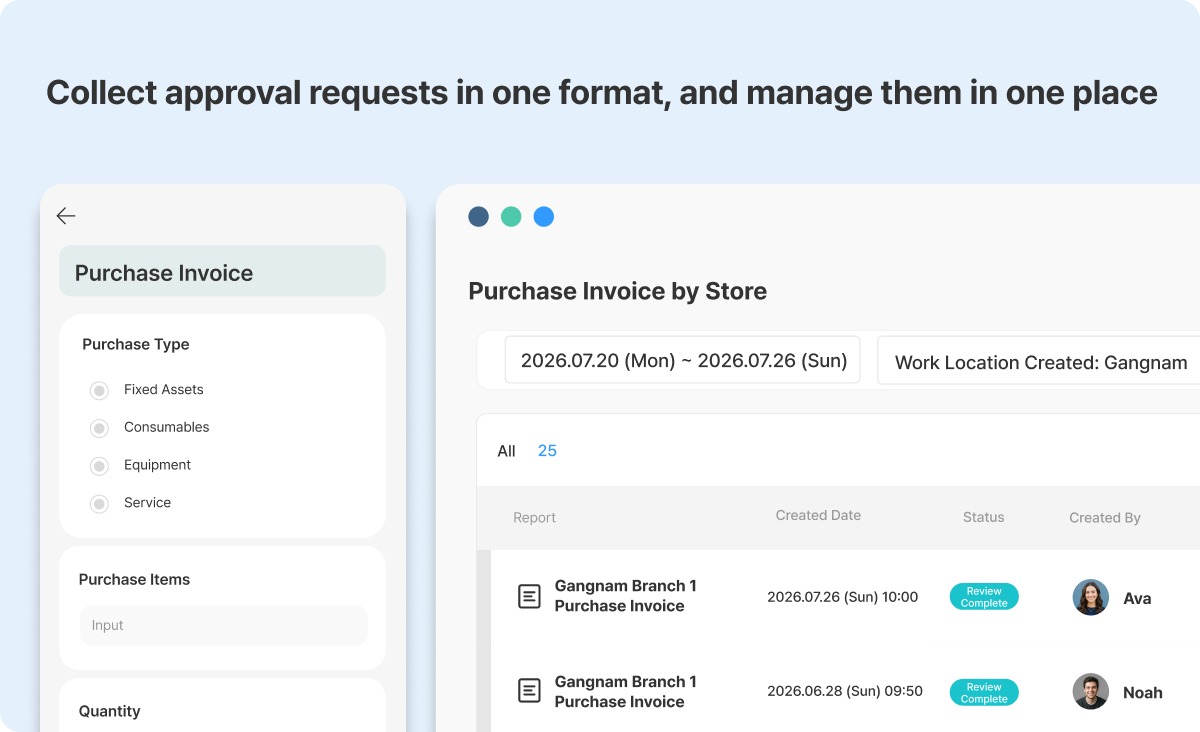
If your team collects approval requests across multiple stores or sites, Shopl's Reports feature gives you a practical way to handle it. Build a standardized request form, have field staff submit it directly, and review all submissions from a single dashboard.
Instead of receiving requests in different formats from different locations, you get consistent data in one place — with the option to follow up via comments when you need clarification or additional information.
If you want to standardize how approval requests are submitted and manage submissions across multiple stores without switching between tools, try Shopl's Reports feature.












