샤플 이용료 80% 지원 받기( ~ 4/21 마감)

A store management system is a comprehensive software solution that streamlines retail operations by integrating staff scheduling, time tracking, task management, and real-time reporting into one unified platform. The right system can reduce operational costs by 15-25% while improving staff productivity and customer satisfaction. Modern retailers who implement effective store management solutions typically see measurable improvements in operational efficiency within the first 3-6 months.
Running a retail business without proper management systems is like navigating without a compass. Store management systems have become essential infrastructure for retailers who want to remain competitive in today's fast-paced market environment. These platforms serve as the central nervous system for your operations, connecting every aspect of your store management under one roof.
Every effective store management system should encompass several fundamental capabilities. Staff scheduling and time tracking form the backbone of operational control, allowing managers to optimize labor costs while ensuring adequate coverage during peak hours. Real-time reporting provides the data visibility needed for informed decision-making throughout the day.
Task management functionality ensures that daily operations run smoothly, from opening procedures to inventory checks. Communication tools within the system help maintain consistent information flow between management and staff. Integration capabilities with existing POS systems and other retail software prevent data silos and streamline workflows.
The absence of integrated store management creates numerous hidden expenses that compound over time. Labor inefficiencies alone can cost retailers 8-12% of total payroll expenses through poor scheduling, time theft, and communication gaps. Manual processes require additional administrative hours that could be allocated to revenue-generating activities.
Poor coordination between locations leads to inconsistent customer experiences and operational standards. Documentation gaps make it difficult to identify trends, measure performance, or maintain compliance with labor regulations. These inefficiencies become more expensive as your business scales across multiple locations.
Selecting the right store management software requires careful evaluation of features that align with your operational needs. Focus on capabilities that address your most pressing pain points rather than being swayed by impressive but unnecessary functionality.
Modern scheduling tools should offer drag-and-drop simplicity combined with intelligent automation. Look for systems that can predict labor needs based on historical data and sales forecasts. The software should handle complex scheduling scenarios including shift swaps, availability preferences, and labor law compliance automatically.
Time tracking integration eliminates the need for separate systems and reduces payroll errors. Real-time clock-in/out functionality with location verification helps prevent time theft while providing accurate labor cost data. Mobile accessibility ensures managers can make scheduling adjustments from anywhere.
Data visibility transforms reactive management into proactive strategy. Effective reporting systems provide instant access to key performance indicators including labor costs, productivity metrics, and operational compliance rates. Customizable dashboards allow different stakeholders to focus on relevant information.
Historical data analysis helps identify patterns in customer traffic, seasonal trends, and staff performance. Automated alerts notify managers when metrics deviate from established benchmarks, enabling quick corrective action. Export capabilities ensure you can integrate data with other business intelligence tools.
Consistent execution of standard operating procedures requires systematic task management. Digital checklists replace paper-based processes and provide proof of completion with timestamps and staff identification. Photo documentation capabilities ensure quality standards are maintained across all locations.
Workflow automation reduces the administrative burden on managers while ensuring nothing falls through the cracks. Priority-based task assignment helps staff focus on the most critical activities during busy periods. Progress tracking provides visibility into operational efficiency and identifies areas for improvement.
Understanding the different categories of store management systems helps narrow your selection criteria. Your choice should align with your technical capabilities, budget constraints, and growth plans.
Cloud-based systems offer several advantages for most retail businesses. Lower upfront costs and automatic updates make them attractive for growing companies. Remote accessibility enables management oversight from any location, while built-in security measures protect sensitive data.
On-premise solutions provide complete control over data and customization options. Businesses with specific security requirements or complex integration needs may prefer this approach. However, on-premise systems require significant IT resources and higher initial investments.
All-in-one platforms provide comprehensive functionality within a single system. This approach reduces integration complexity and provides unified reporting across all operational areas. Training requirements are simplified when staff only need to learn one system interface.
Specialized tools excel in specific functional areas but require careful integration planning. Best-of-breed solutions may offer superior capabilities in their focus areas but create potential data synchronization challenges. Consider your team's technical expertise when evaluating this trade-off.

A systematic evaluation process ensures you select software that truly meets your operational needs. Rushing the selection process often leads to expensive mistakes and implementation challenges down the road.
Begin by documenting your existing processes and identifying specific problem areas. Quantify the impact of current inefficiencies in terms of time, money, and customer satisfaction. Survey your managers and staff to understand their daily challenges and wish-list features.
Map out your operational workflow from opening to closing procedures. Identify disconnects between departments or locations that a store management system could bridge. This assessment forms the foundation for your requirements documentation.
Establish a realistic budget that includes not just software costs but also implementation, training, and ongoing support expenses. Factor in the hidden costs of your current manual processes to understand the true comparison. Calculate potential savings from improved efficiency, reduced labor waste, and better compliance.
Consider both immediate costs and long-term value when evaluating options. A system that costs more upfront but delivers superior functionality may provide better ROI over a three-year period. Include potential scalability costs as your business grows.
Create a standardized evaluation framework to compare different vendors objectively. Request demonstrations that focus on your specific use cases rather than generic feature tours. Ask for references from businesses similar to yours in size and industry.
Evaluate the vendor's financial stability, customer support quality, and product roadmap. Test the responsiveness of technical support during the evaluation process as this indicates future service levels. Consider the total cost of ownership including training, customization, and ongoing support.
Learning from others' mistakes can save you significant time and resources during implementation. Many businesses underestimate the importance of change management and focus solely on technical deployment.
Technical deployment represents only half of a successful implementation. Staff adoption determines whether your investment delivers the expected returns. Resistance to change is natural, especially when replacing familiar manual processes with digital workflows.
Develop a comprehensive training program that goes beyond basic feature demonstration. Include scenario-based training that helps staff understand how the system improves their daily work experience. Identify system champions among your staff who can provide peer support during the transition period.
Feature-rich systems can be tempting, but complexity often reduces user adoption rates. Focus on capabilities that address your documented pain points rather than impressive functionality you may never use. Additional features typically increase both costs and training requirements.
Start with core functionality and plan to expand capabilities as your team becomes comfortable with the system. Many vendors offer modular approaches that allow you to add features gradually. This phased approach reduces implementation risk and improves user acceptance.
Successful implementation requires careful planning and gradual deployment. A phased approach reduces risk and allows for course corrections before full-scale rollout across all locations.
Begin implementation with a small subset of locations or departments to test real-world functionality. Choose pilot locations that represent your typical operational environment rather than your most or least challenging sites. This provides realistic feedback on system performance and user experience.
Establish clear success metrics for the pilot phase including efficiency improvements, user satisfaction, and technical performance. Document any issues or unexpected challenges that arise during pilot testing. Use this feedback to refine your rollout plan and training materials.
Plan your data migration strategy carefully to avoid operational disruptions. Clean and organize existing data before migration to prevent carrying forward inaccuracies into your new system. Test data integrity thoroughly in a staging environment before going live.
Integration with existing systems requires technical coordination and testing. Work closely with your IT team or vendor to ensure smooth data flow between systems. Plan for contingency procedures in case integration issues arise during deployment.
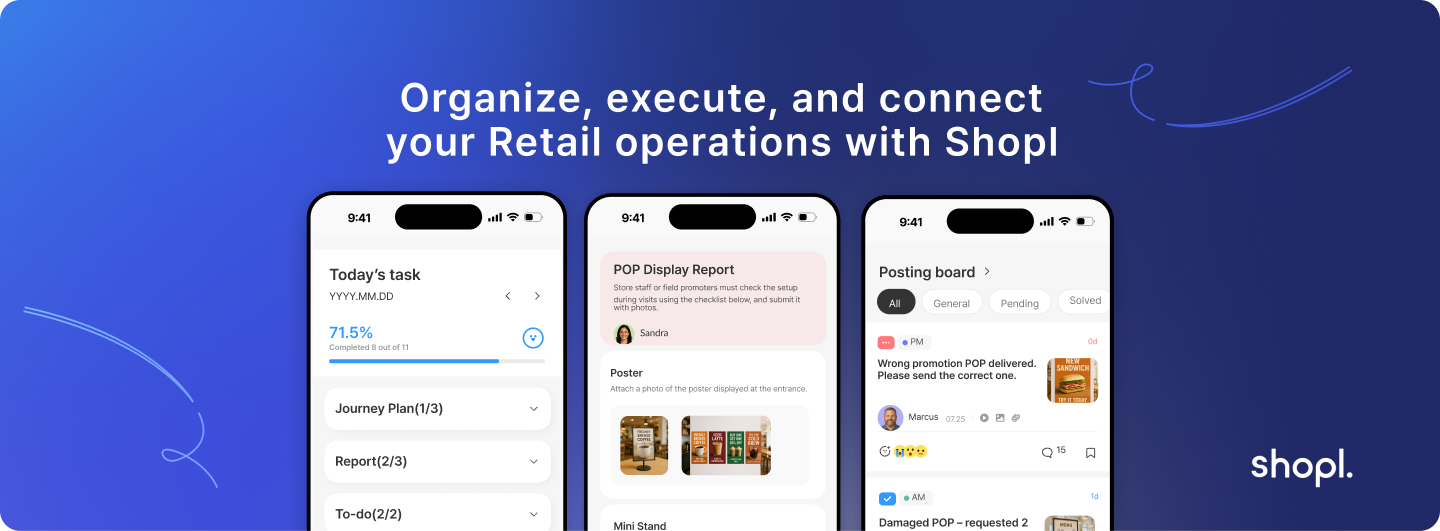
For businesses looking to modernize their retail operations, Shopl offers a comprehensive store management platform that addresses the key areas outlined in this guide. The platform combines staff scheduling, time tracking, task management, and real-time reporting in an integrated solution designed specifically for retail environments. You can explore Shopl's features and see how they align with your operational needs at Shopl.
A. Budget planning should include several cost components beyond the monthly subscription fee. Small to medium retailers typically invest $50-200 per location per month for cloud-based solutions, while enterprise systems can range from $300-800+ monthly per location. Factor in one-time implementation costs of $2,000-10,000 depending on complexity, plus ongoing training and support expenses. Calculate your ROI based on labor cost savings, which often range from 8-15% of total payroll expenses.
A. Most modern store management platforms offer API integrations with popular POS systems including Square, Clover, Toast, and major enterprise solutions. Integration typically enables automatic data synchronization for sales data, staff scheduling based on transaction volumes, and unified reporting across systems. Verify integration capabilities during vendor evaluation and ask for specific examples of successful integrations with your current POS provider.
A. Implementation timelines vary significantly based on business size and complexity. Small single-location businesses can typically go live within 2-4 weeks, while multi-location retailers often require 6-12 weeks for full deployment. The timeline includes system configuration, data migration, staff training, and pilot testing phases. Cloud-based solutions generally implement faster than on-premise systems due to reduced infrastructure requirements.
A. Store management systems focus on operational aspects including staff scheduling, task management, time tracking, and performance reporting. Inventory management systems specialize in stock control, purchasing, and supply chain optimization. Many modern store management platforms include basic inventory features, while dedicated inventory systems offer advanced forecasting and procurement capabilities. Consider integrated platforms if you need both capabilities without complex system integrations.
A. Modern cloud-based store management systems are designed for business users without extensive technical backgrounds. Most platforms feature intuitive interfaces and drag-and-drop functionality for common tasks like scheduling and reporting. However, initial setup, integration configuration, and advanced customization may benefit from technical support. Many vendors provide implementation services and ongoing support to bridge any technical gaps in your organization.
Choosing the right store management system represents a significant strategic decision that impacts your operational efficiency and growth potential. The key lies in thorough evaluation of your specific needs, careful vendor selection, and systematic implementation planning. Focus on solutions that address your documented pain points while providing room for future expansion. With proper planning and execution, a well-chosen store management system becomes the foundation for scalable, efficient retail operations that can adapt to changing market demands.