
샤플 이용료 80% 지원 받기

😩 Every morning before opening, you're walking the floor twice — once to brief the team, and again to make sure nothing was missed.
When opening tasks are passed down verbally or written on a whiteboard, things fall through the cracks. Different employees remember different steps. Busy mornings make it worse. And when you can't see who's done what without physically checking every corner of the store, you end up doing the work twice.
There has to be a better way.
🙆 Shopl's To-do feature lets you automate your daily opening checklist — so nothing gets missed, and you don't have to chase your team to find out.
Assign recurring opening tasks to the right people automatically, track completion status in real time, and review actual results without leaving your desk. Consistent standards, every single day.
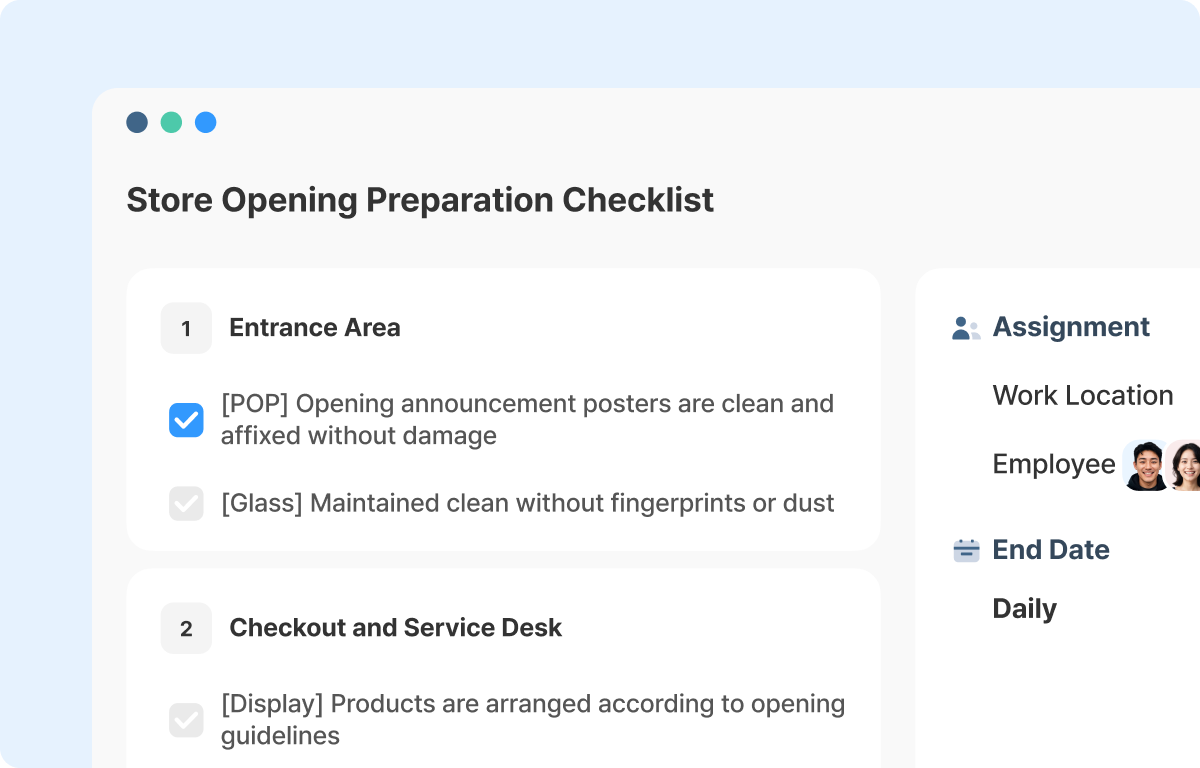
When opening tasks rely on verbal handoffs or get rewritten from scratch each day, something will eventually get missed — especially when staff change or mornings get hectic.
With Shopl, you set up your opening checklist once and choose how often it repeats. From that point on, the same tasks are automatically created on schedule, every day. Store cleanliness checks, POS and payment terminal inspections, display arrangement — whatever your team needs to complete before opening, it's waiting for them each morning without anyone having to send a message or make a reminder call.
For managers overseeing multiple locations, this also means every store runs off the same standard. No more guessing whether the morning briefing happened, or whether the right items were covered.
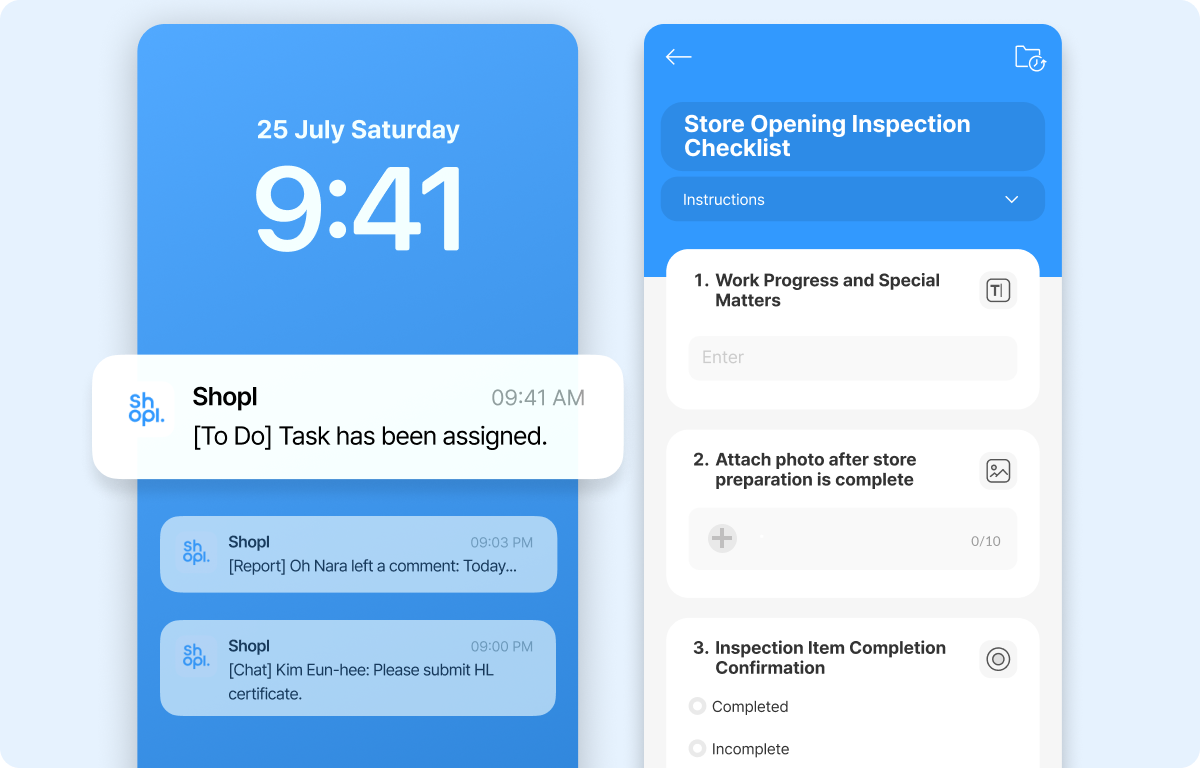
A checkmark doesn't tell you whether the work was actually done. That's the gap that causes problems.
With Shopl, you can require employees to provide real evidence before a task is marked complete. Depending on what the task involves, you can ask for:
This prevents tasks from being rubber-stamped and forgotten. When a submission doesn't meet the standard, you can send a redo request directly — keeping your opening quality consistent without being physically present for every shift.
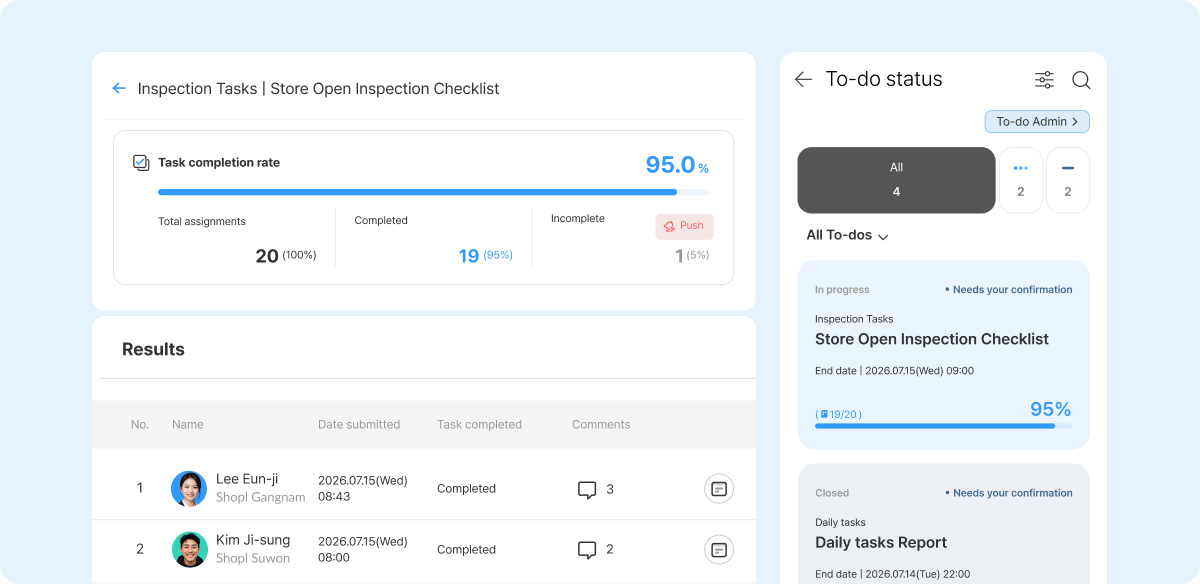
When opening time is approaching and you don't know which tasks are still outstanding, you're back to walking the floor. Shopl gives you a live view of every employee's progress — by person and by task — directly from the admin panel.
If something isn't done, you can follow up with the right person immediately, or reassign it to someone else who can cover it in time.
Submissions are also compiled into a Report, so you can spot recurring gaps over time — whether it's a specific task that keeps getting missed, or a team member who needs more support.
A. Yes. When setting up a to-do, you can specify which stores and employees it's assigned to — so each location can have its own tailored opening checklist. At the same time, you still get a single view of completion status across all stores, so nothing falls off your radar.
A. Incomplete tasks don't carry over automatically. When a repeated cycle is configured, a fresh set of tasks is generated according to the schedule. The previous day's tasks stay as-is, and their completion status remains visible to admins — so you can follow up, send a redo request, or handle it separately. Nothing gets silently dropped.
The more routine a task is, the easier it is to skip — especially when it depends on someone's memory or a verbal handoff.
Shopl's To-do feature puts your opening checklist on autopilot. From setting store-specific standards to tracking real-time completion status by employee, it gives you full visibility without the constant follow-up.
If you're ready to run tighter openings with less effort, Shopl is a straightforward place to start.













