
샤플 이용료 80% 지원 받기

🤔 Managing contract and temporary staff communication is a constant headache for operations teams.
When work instructions go out over personal WhatsApp or SMS, every time a representative changes, you're back to square one — collecting numbers, resharing contacts, starting over. Meanwhile, messages between permanent staff and temp workers pile up in the same thread, and critical instructions get buried before anyone acts on them.
Field directives, agency coordination, urgent notices — scattered across multiple channels. And when someone asks "where did we send that?", half the shift is gone looking for it. There has to be a better way.
👉 Use Shopl Chat to run a dedicated Communication channel for your contract and temporary workforce.
No phone number sharing needed. Start work conversations with the right people immediately, and keep different types of instructions and queries in purpose-built chat rooms — organised, searchable, and always accessible.
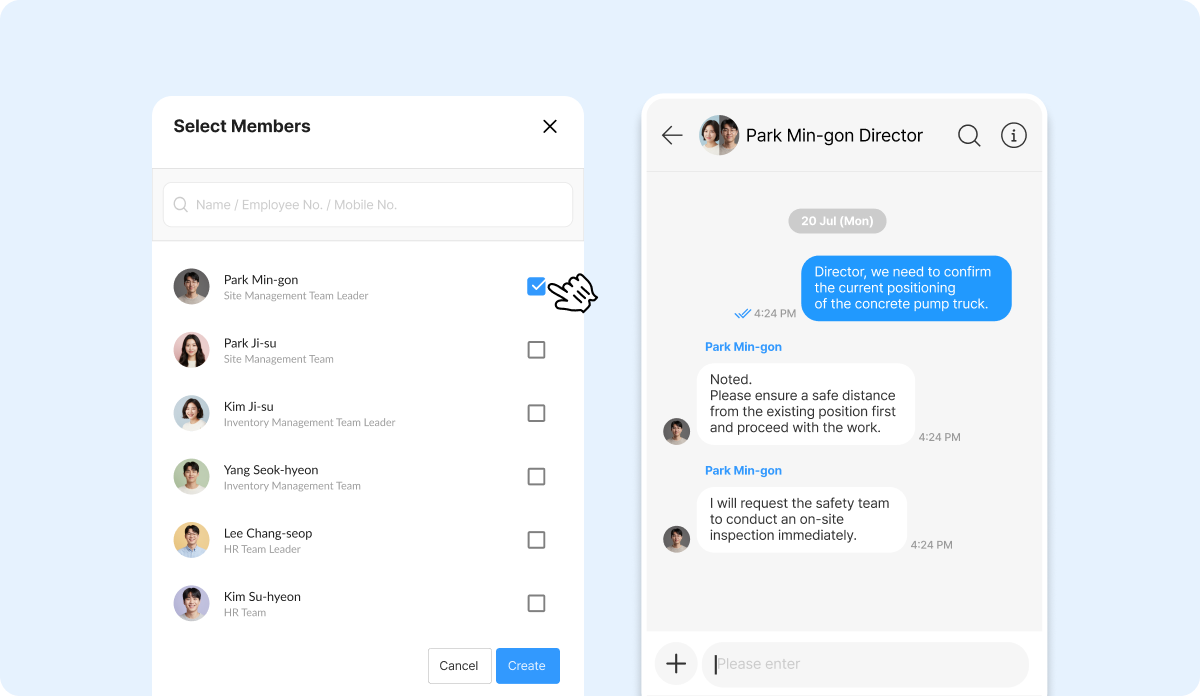
Every time a new temp worker arrives on site, you shouldn't have to exchange personal contact details before getting them up to speed. If they're registered in Shopl as Members, just search their name and open a 1:1 chat or Group chat straight away — so you can brief them from day one without any back-and-forth.
Work conversations stay separate from personal messaging, giving you a dedicated channel for operational communication. And when representatives change, there's no need to rebuild your contact list from scratch.
When field instructions, agency coordination, and urgent notices all land in the same chat room, important messages disappear fast. In Shopl, you can create separate Group chats for each purpose and Invite only the members who need to be there.
For example, splitting chats into 'Temp Staff Tasks', 'Agency Coordination', and 'Site Notices' means every conversation stays in the right place — and finding what you need takes seconds, not minutes.
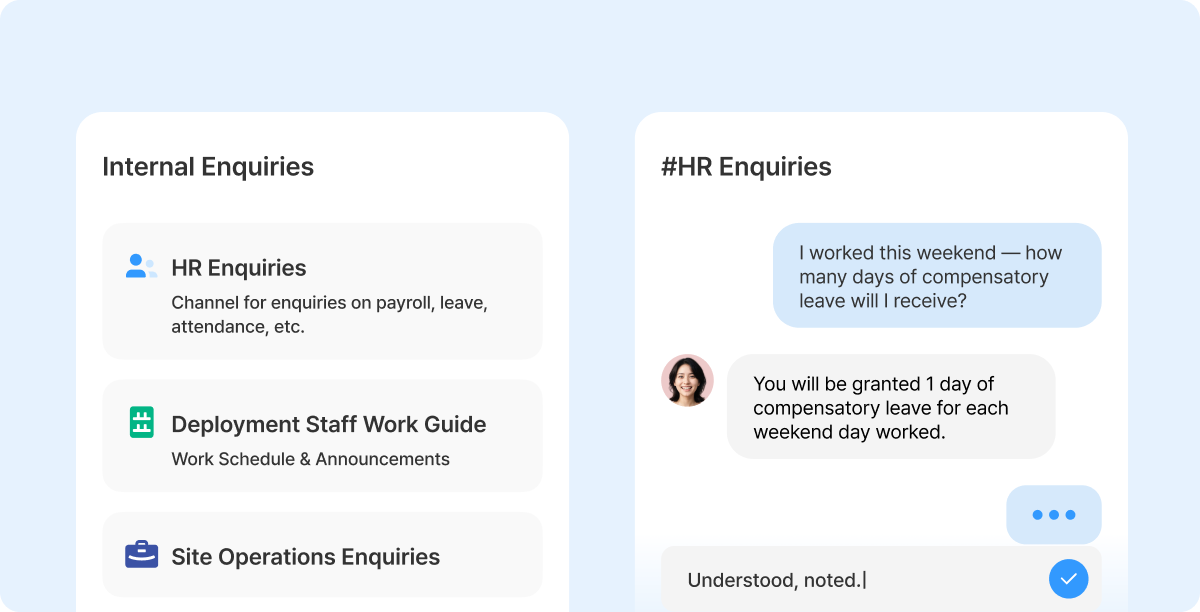
The *Contact your company* feature takes this further. Set up purpose-specific Channels — for access badge requests, work orders, or facility queries — and each inquiry goes directly to the right representative. Staff no longer have to figure out who to contact, and representatives only see the queries assigned to them, so response times drop.
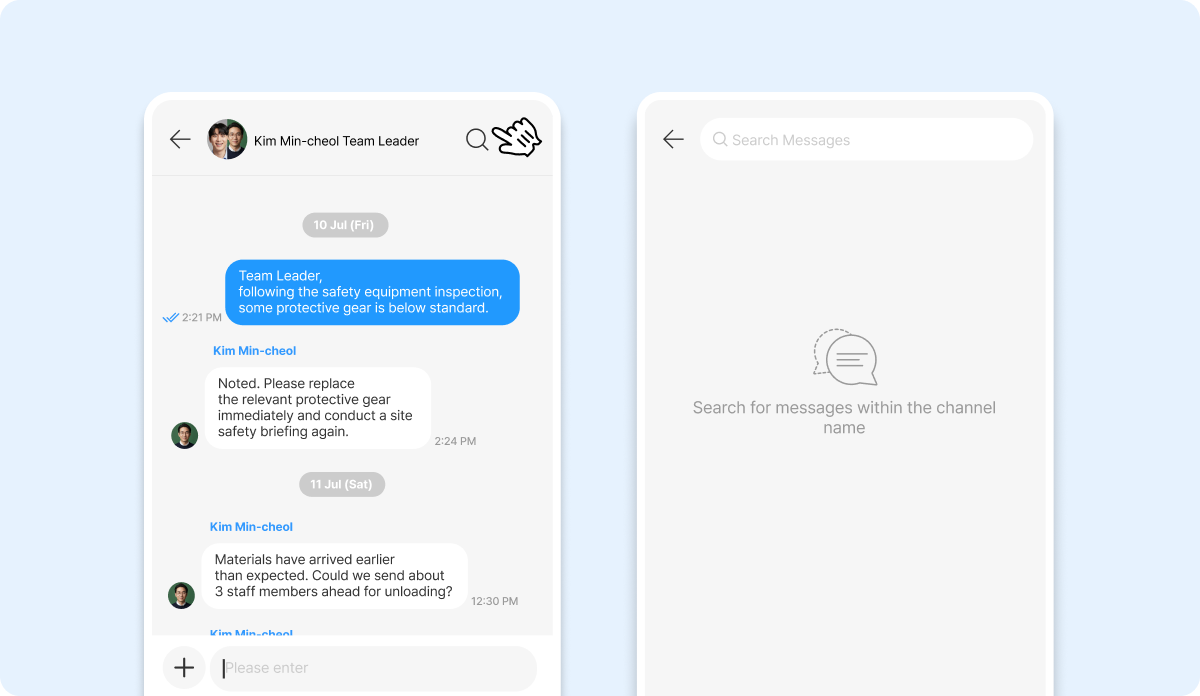
Shopl Chat's Search messages feature lets you find past work instructions, agency agreements, and notices without scrolling through entire threads.
When the same question comes up again, the answer is already there. And because every conversation is logged automatically, a new representative can pick up exactly where the previous one left off — no knowledge lost, no need to repeat yourself.
A. Yes — to use Shopl Chat, temp workers need to be registered as Members in Shopl. Admins can add them quickly using an invite link or Code.
A. Once a member is removed from the organization, they lose access to all chat rooms. However, the conversation history remains intact, so Admins can continue to review it as needed.
Scattered messages across personal apps mean lost instructions, broken handovers, and hours spent chasing contacts every time someone new comes on site. With Shopl Chat, you can reach any registered member instantly — no phone numbers required — and keep field instructions, agency coordination, and staff queries in clearly separated channels. When representatives change, the records stay. When questions come up, the answers are already searchable. That's what structured Communication with a temporary workforce looks like.













