
샤플 이용료 80% 지원 받기( ~ 4/21 마감)

Effective task management for retail stores requires specialized systems that handle the unique challenges of multi-location operations, real-time execution tracking, and frontline staff coordination—unlike standard office-based task management tools that often fail in retail environments.
When I first became a Retail Operations Manager overseeing 150 stores across three regions, I thought implementing task management would be straightforward. After all, we had clear processes, established SOPs, and motivated store teams. What I didn't anticipate was how fundamentally different task management needs to be when you're coordinating dozens of locations with varying customer patterns, staffing levels, and operational challenges.
In this guide, I'll walk you through the practical lessons I've learned from both successful implementations and costly mistakes in retail task management. You'll discover why standard tools fall short, what actually works in store environments, and how to build systems that drive consistent execution across your retail network.
Most task management tools are designed for knowledge workers sitting at desks, not for associates juggling customer service while restocking shelves. When I first rolled out Asana across our stores, completion rates hovered around 40%—not because teams were lazy, but because the tool demanded too much screen time during peak hours.
The fundamental difference lies in context switching. Office workers can dedicate 10-15 minutes to updating task status, but retail associates need to complete tasks in 30-second bursts between customer interactions. I learned that effective retail task management requires mobile-first interfaces and instant status updates, not detailed progress notes and lengthy descriptions.
Another critical gap is the time sensitivity of retail tasks. While office projects might have flexible deadlines, store operations run on strict schedules. Opening procedures must be completed by 10 AM, promotional displays need to be ready before weekend traffic, and closing checklists can't wait until tomorrow.
My first major failure came from assuming one template would work everywhere. I created a comprehensive 25-item daily checklist that covered everything from cash drawer preparation to visual merchandising updates. Within two weeks, only 12 stores were consistently completing more than 60% of tasks.
The problem wasn't the tasks themselves—it was the rigid structure. High-traffic urban stores needed different priorities than suburban locations, and flagship stores had additional brand requirements that didn't apply to outlet locations. I had created a one-size-fits-all solution for a distinctly multi-size problem.
The second failure was underestimating the learning curve. Store managers spent the first month explaining the new system instead of focusing on execution. Associates felt overwhelmed by the technology layer added to their existing responsibilities. I realized that any retail task management system needs to feel intuitive from day one, not week four.
After multiple iterations, I developed opening and closing templates that balance thoroughness with practicality. The key insight was breaking tasks into 5-minute blocks that could be completed between other responsibilities.
Opening Checklist (7:30-10:00 AM):
The critical success factor was timing specificity. Instead of "complete opening tasks," each item had a 15-minute window that allowed for customer interruptions while maintaining schedule adherence.
Weekly tasks require different management because they span multiple shifts and involve various team members. I learned to structure these as progressive checklists where each day's completion enabled the next day's tasks.
Weekly Merchandising Cycle:
The breakthrough was connecting daily actions to weekly outcomes. Associates could see how their Monday inventory work directly enabled Wednesday's promotional success, creating accountability through understanding rather than oversight.
Promotional campaigns taught me the most about retail-specific task management. Unlike regular operations, campaigns have hard deadlines that can't be extended, and failure cascades across multiple stores.
I developed a three-phase approach: preparation (2 weeks before), execution (campaign duration), and evaluation (1 week after). Each phase had different task types and success metrics, requiring flexible tracking systems that could adapt to campaign complexity.
The most effective campaigns broke down into location-specific task lists. Stores with higher foot traffic received additional visual merchandising tasks, while smaller locations focused on staff training and customer education. This customization improved campaign effectiveness by 35% compared to standardized rollouts.
Start by documenting what actually happens in your stores, not what should happen according to corporate SOPs. I spent two weeks shadow-working with associates across different store types, capturing the real workflow patterns.
Critical operations mapping includes:
The key insight was identifying task interdependencies. Visual merchandising can't be completed until inventory is processed, but customer service can't wait for either. Understanding these relationships prevents bottlenecks and scheduling conflicts.
Generic task lists create confusion and reduce accountability. After analyzing completion patterns across 150 stores, I found that role-specific lists improved task completion rates by 28%.
Role-specific lists eliminated the common problem of task confusion. Associates knew exactly what they were responsible for, reducing the time spent on "whose job is this?" discussions.
Accountability in retail requires real-time visibility, not end-of-day reports. I implemented checkpoint systems that allowed managers to spot problems before they became crises.
Effective tracking includes:
The critical balance was between oversight and micromanagement. Teams needed enough monitoring to ensure consistency, but not so much that they felt surveilled. I found that focusing tracking on outcomes rather than activities maintained morale while improving performance.
My biggest mistake was creating a comprehensive 30-item daily checklist that covered every possible store task. Within one week, average completion rates dropped to 35%, and store managers reported that associates were spending more time managing the list than executing tasks.
The problem was cognitive overload. When faced with 30 items, associates focused on checking boxes rather than understanding priorities. Customer service suffered because team members were more concerned with task completion than customer satisfaction.
I fixed this by implementing the "Rule of 7"—no more than seven priority tasks per shift, with additional items classified as "when possible" rather than required. This simple change improved completion rates to 85% and restored focus on customer-facing priorities.
I initially assumed that standardization meant identical processes across all locations. This approach failed spectacularly in stores with unique characteristics—flagship locations with extended hours, outlet stores with different customer patterns, and mall locations with specific lease requirements.
The solution was creating flexible templates with location-specific customizations. Core tasks remained consistent (cash handling, basic cleaning, customer service), but each store could adjust timing, priorities, and additional responsibilities based on their unique needs.
This customization approach required more initial setup time but reduced ongoing management overhead by 40% because stores could execute tasks in their natural workflow rather than fighting against artificial constraints.
After testing eight different retail project management platforms across our network, certain features proved essential for success while others were nice-to-have distractions.
Essential features include:
The most important feature was simplicity of use. Platforms that required more than 30 seconds to update task status consistently failed in retail environments where customer service interruptions are constant.
Standalone task management tools create additional work rather than reducing it. The most successful implementations connected task management with existing systems like POS, inventory management, and employee scheduling.
Key integration points include:
These integrations eliminated double data entry and ensured that task management complemented existing workflows rather than competing with them.
Early in my implementation, I focused heavily on task completion rates—the percentage of assigned tasks marked as complete. While this seemed logical, it led to checkbox mentality where associates rushed through tasks to achieve high completion scores without focusing on quality.
The breakthrough came from balancing completion rates with quality indicators:
Quality metrics revealed that 95% completion with 20% rework was worse than 80% completion with 5% rework. This insight shifted focus toward thorough execution rather than maximum task volume.
Tracking completion times across different stores revealed significant insights about efficiency and training needs. Stores with similar characteristics should have similar completion times—variations indicated either process problems or training gaps.
Time analysis helped identify:
The most valuable insight was discovering tasks that consistently took 50% longer than estimated. These were often candidates for process redesign or additional tool support rather than just expecting faster execution.
A. Based on my experience managing 150+ stores, the most effective tools are mobile-first platforms specifically designed for retail operations rather than generic task management software. Tools like Shopify POS's built-in task features, Repsly for field teams, or specialized retail operations platforms work better than general tools like Asana or Trello. The key is choosing tools that integrate with your existing POS and inventory systems rather than creating additional data silos. I've found that simple, retail-focused tools consistently outperform feature-rich generic platforms in actual store environments.
A. Multi-location task management requires a hub-and-spoke approach with standardized core processes and location-specific customizations. I use templated task lists that can be adjusted for each store's unique characteristics—mall locations get different closing procedures than street-front stores, and high-traffic locations have additional visual merchandising tasks. The critical success factor is maintaining consistent reporting standards while allowing operational flexibility. Regional managers need real-time visibility across their stores without micromanaging individual locations.
A. Through extensive testing, I've found that 5-7 tasks per shift is the optimal number for consistent execution. Anything over 10 tasks creates cognitive overload and reduces focus on customer service. The key is distinguishing between "must-do" tasks that are critical for store operations and "when-possible" tasks that can be completed during slower periods. I organize tasks into opening essentials (7 items), ongoing responsibilities (5 items), and closing requirements (6 items), with additional tasks marked as optional rather than required.
A. Core operational tasks should remain stable, but promotional and seasonal tasks need regular updates. I review and adjust task lists monthly for seasonal changes, weekly for promotional campaigns, and immediately for operational improvements or corporate initiatives. The mistake I made early on was changing too frequently—stores need 2-3 weeks to fully adopt new processes before additional changes are introduced. Emergency updates should be limited to genuine safety or compliance issues rather than minor operational tweaks.
A. Absolutely. Integrating task management with scheduling systems improves accountability and ensures that the right people are assigned to tasks that match their skills and availability. When scheduling and task assignment work together, managers can ensure that complex tasks are assigned to experienced staff and that task load is balanced across the team. This integration also enables automatic task reassignment when schedule changes occur, preventing tasks from falling through the cracks during shift changes or call-outs.
As a Retail Operations Manager who has worked with various task management approaches, I've found that success comes from understanding the unique challenges of retail environments rather than forcing generic solutions into store operations. The most effective systems balance operational consistency with the flexibility needed to handle real-world retail situations.
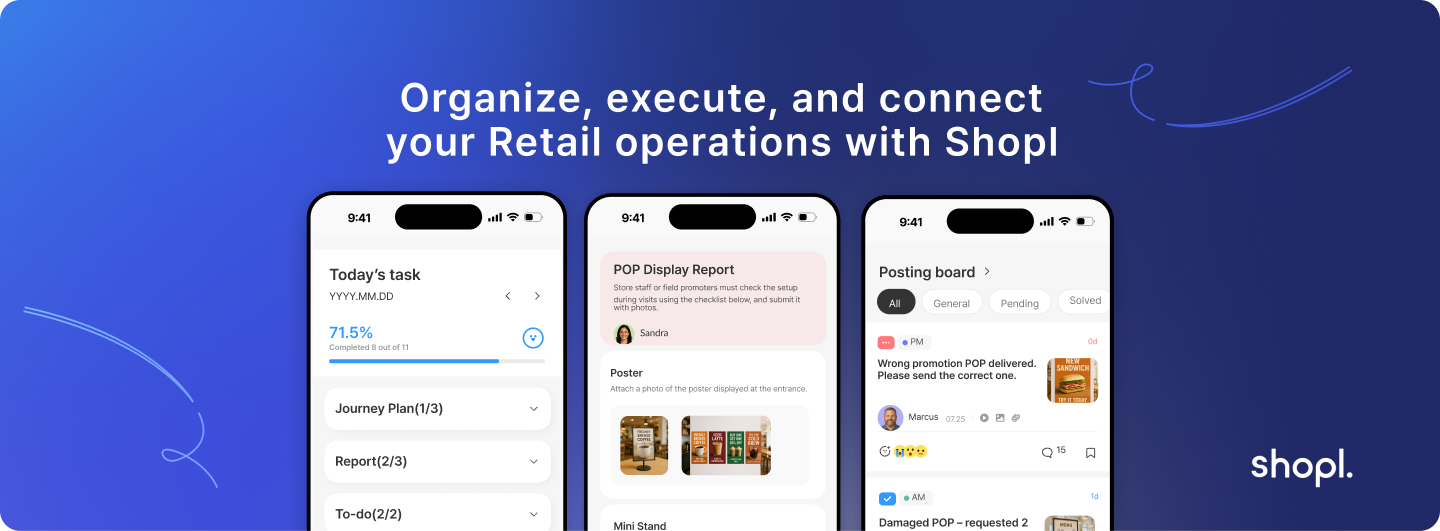
For Retail Operations Managers looking to implement comprehensive task management across multiple locations, I've been using Shopl's retail operations platform, which combines task management with scheduling, reporting, and team communication in a single system designed specifically for retail environments. The platform's mobile-first design and integration capabilities address many of the challenges I've outlined in this guide. You can learn more about their task management features and see how they integrate with scheduling and reporting at Shopl.
The key to successful retail task management isn't finding perfect tools or creating perfect processes—it's building systems that work reliably in imperfect, constantly changing retail environments. When your task management system helps teams deliver better customer experiences while maintaining operational consistency, you've achieved the right balance between structure and flexibility.









