
샤플 이용료 80% 지원 받기

Promoter attendance tracking requires GPS verification, photo check-ins, and campaign-specific scheduling to work effectively across multiple store locations. Standard employee attendance systems fail because promoters work mobile schedules across different campaigns and locations, requiring specialized tracking features that most basic systems can't handle.
Most multi-store operations struggle with promoter attendance because they try to use standard employee tracking systems designed for fixed locations. Promoters work across multiple stores, follow campaign schedules rather than fixed shifts, and need accountability measures that work in retail environments where store staff may not know them personally.
Promoters typically work across 3-8 different store locations per week, making location-based attendance critical. Unlike regular employees who work from a single office or store, promoters need systems that can verify they're actually at the correct location during their scheduled hours.
Standard attendance systems assume employees work from one location with consistent schedules. This breaks down immediately when promoters move between a flagship store on Monday, two suburban locations on Tuesday, and a high-traffic mall store on Wednesday. Without location verification, you have no way to confirm promoters are where they're supposed to be.
Most promoter teams report attendance accuracy issues when using basic time-tracking apps. Promoters can clock in from anywhere, leading to situations where they mark attendance from home or while traveling between stores, creating false data that undermines campaign performance tracking.
Traditional attendance systems work on fixed shift patterns – 9-to-5, rotating shifts, or consistent weekly schedules. Promoter schedules change based on campaign requirements, seasonal demands, and store-specific events. A promoter might work 4 hours at Store A for a product launch, then 6 hours at Store B for a different brand campaign the same week.
This complexity means your attendance tracking system needs to handle multiple campaigns per promoter, different hourly requirements per location, and campaign-specific reporting that ties attendance data back to performance metrics.
GPS verification ensures promoters are within 50-100 meters of their assigned store location before they can check in. This prevents remote check-ins and confirms promoters are actually at the work site when they start their shifts.
Geofencing creates virtual boundaries around each store location. When promoters enter the designated area, they can access check-in functions. If they're outside the boundary, the system blocks attendance marking and sends alerts to supervisors.
The most effective implementations use 30-meter radius geofences for mall locations and 50-meter radius for standalone stores. Smaller radiuses cause problems with GPS accuracy in dense urban areas, while larger ones allow check-ins from parking lots or nearby businesses.
Photo check-ins provide visual confirmation that promoters are present and ready to work. This feature reduces buddy punching by 85% and gives field managers real-time visibility into promoter presence without requiring store visits.
Effective photo check-in systems capture timestamps, GPS coordinates, and store verification in a single step. Some teams require photos of the promotional display or assigned work area to confirm promoters are positioned correctly within the store.
Store managers often report better promoter accountability when photo check-ins are required. The visual element creates a psychological commitment to being present and engaged, beyond just marking attendance.
Each campaign needs separate time tracking with different hourly requirements, break schedules, and reporting structures. A promoter working two different brand campaigns in one day needs distinct time records for each, with accurate allocation of hours to the correct client or internal cost center
Campaign-specific tracking includes start/end times, break durations, and activity logging. This data feeds directly into campaign performance reports and ensures accurate billing when working with external promotional agencies.
Week 1-2: System Configuration and Store Mapping
Start by mapping all store locations with accurate GPS coordinates and creating geofence boundaries. Most implementations fail because they rush this step and use approximate addresses instead of precise location data. Visit each store location physically to test GPS accuracy and adjust fence boundaries.
Configure user roles and permissions during this phase. Store managers need read-only access to promoter attendance data for their locations, while field managers need full visibility across their assigned territories. Regional managers typically need reporting access without detailed individual attendance data.
Set up campaign templates with standard hourly requirements, break schedules, and reporting parameters. This prevents having to configure each new campaign from scratch and ensures consistency across different promotional activities.
Week 3: Promoter Onboarding and Training
Train promoters in groups of 8-12 to ensure adequate support and peer learning. Individual training sessions take too long, while larger groups make it difficult to address specific questions about unique store locations or campaign requirements.
Focus training on the three core functions: location-based check-in, photo capture requirements, and handling technical issues. Most promoters master these functions within 15 minutes, but need practice with different store layouts and lighting conditions for photo check-ins.
Create quick-reference cards with store-specific instructions for locations with unique requirements, such as basement-level stores with poor GPS signal or mall locations with complex entry procedures.
Week 4: Pilot Testing with High-Traffic Stores
Select 5-8 high-traffic stores for initial pilot testing rather than starting with your entire network. High-traffic locations expose potential issues with GPS accuracy, photo quality in busy environments, and system performance during peak hours.
Monitor pilot results daily for the first week, then transition to weekly reporting. Common issues during pilot testing include GPS drift in mall locations, photo quality problems in stores with poor lighting, and confusion about geofence boundaries in shopping centers with multiple entrances.
Document workarounds for location-specific challenges and incorporate solutions into your broader rollout plan. Most pilot programs reveal 3-5 system adjustments needed before full deployment.
Free attendance tracking solutions work for small promoter teams (under 15 people) working in single campaigns with simple schedules. Once you need GPS verification, photo check-ins, or campaign-specific reporting, free solutions quickly become inadequate.
Free solutions typically limit GPS accuracy, don't support geofencing, and lack integration capabilities with existing HR or payroll systems. Teams using free solutions report 40% more time spent on manual attendance verification compared to purpose-built promoter tracking systems.
The real cost of free attendance software shows up in administrative overhead and lost productivity. Field managers spend 2-3 hours per week manually verifying attendance data and resolving discrepancies when using basic free solutions.
Common hidden costs include: manual data export and formatting for payroll processing, additional software needed for GPS verification, time spent troubleshooting technical issues without dedicated support, and lost campaign performance data due to inadequate reporting capabilities.
Teams often discover they need paid solutions within 90 days of implementing free attendance tracking, requiring second system setup and data migration that could have been avoided with proper initial selection.
The most common implementation failure is creating check-in processes that take more than 60 seconds to complete. Promoters working in fast-paced retail environments won't adopt systems that slow down their morning setup or require multiple steps to record simple attendance.
Avoid requiring multiple photo angles, lengthy location descriptions, or complex category selections during check-in. The most successful implementations use single-tap check-in with automatic GPS and photo capture, requiring minimal promoter interaction.
Some teams add supervisor approval requirements for attendance, creating delays and frustration. Implement automatic validation rules instead of manual approval workflows to maintain speed while ensuring accuracy.
Store managers and staff need to understand the promoter attendance system, even though they don't use it directly. Promoters often encounter resistance from store staff who don't understand why photo check-ins are necessary or who view GPS tracking as intrusive.
Brief store managers on the system during your rollout, explaining how accurate promoter attendance data helps with campaign performance and store scheduling. Provide simple talking points they can use when staff ask about promoter check-in procedures.
Most successful implementations include store staff in initial training sessions, showing them how the system works and addressing concerns about privacy or additional workload.
Track check-in completion rates, GPS accuracy flags, and photo quality issues daily for the first two weeks. These metrics indicate whether promoters are successfully adopting the system and highlight technical problems that need immediate attention.
Monitor these daily metrics during initial rollout:
After week two, transition to weekly reporting unless completion rates drop below 90%. Daily monitoring beyond the initial period creates unnecessary administrative overhead without significant benefit.
GPS accuracy problems in mall locations require geofence boundary adjustments. Expand boundaries by 10-15 meters if more than 10% of check-ins fail GPS verification at specific stores. Document these adjustments and apply similar changes to stores with comparable layouts.
Photo quality issues typically result from poor lighting or unclear requirements. Provide store-specific photo guidelines for locations with challenging lighting conditions, and train promoters to use flash or position themselves near windows for better image quality.
System performance issues during peak hours (8-10 AM) indicate server capacity problems. Work with your software provider to implement caching or load balancing if check-in response times exceed 10 seconds during busy periods.
Stores with 95%+ promoter attendance accuracy show 23% better campaign performance metrics compared to locations with inconsistent promoter presence. This correlation helps justify attendance tracking investment and identifies which locations need additional support
Track attendance accuracy alongside campaign KPIs like product sales, customer engagement scores, and promotional display compliance. Most teams discover that attendance consistency predicts campaign success better than individual promoter skill assessments.
Weekly reporting should include attendance trends by store, promoter, and campaign type. Focus on patterns rather than individual incidents – a promoter with one missed check-in isn't concerning, but consistent late arrivals or GPS failures indicate training or system issues.
Create standard reporting templates that connect attendance data to business outcomes. Executive reports should focus on network-level trends and ROI metrics, while operational reports need store-level details for daily management decisions.
Essential weekly report elements:
Automate data collection and basic calculations to reduce manual reporting time from 4 hours to 30 minutes per week. Most attendance systems can export data directly to spreadsheet templates or dashboard tools.
A. Promoters must be physically present at their assigned store location to check in. GPS verification and geofencing prevent remote check-ins by requiring promoters to be within 30-50 meters of the store. If a promoter attempts to check in from outside this boundary, the system blocks the attendance record and sends an alert to their supervisor.
A. Most systems allow check-out within 2-4 hours after the scheduled end time to accommodate technical issues. Promoters should notify their supervisor immediately about battery problems and document the situation. For frequent battery issues, consider providing backup portable chargers or requiring promoters to maintain minimum battery levels (20%+) when starting shifts.
A. Use campaign-specific time tracking that allows promoters to switch between different campaigns throughout their shift. Each campaign check-in/check-out creates separate time records with distinct billing codes. Most effective systems use quick campaign selection during check-in rather than requiring separate app sessions for each campaign.
A. Store managers should have read-only access to attendance data for promoters working in their locations. This helps with daily planning and identifying attendance issues that might affect campaign performance. However, they shouldn't have access to personal information, pay rates, or attendance data from other store locations.
A. Full adoption across a 50-store network typically takes 4-6 weeks. Week 1-2 for system setup and store mapping, Week 3 for promoter training and initial rollout to 10-15 stores, Week 4-5 for full network deployment, and Week 6 for troubleshooting and optimization. Networks with experienced field management teams often achieve full adoption in 4 weeks, while those with high promoter turnover may need 6-8 weeks.
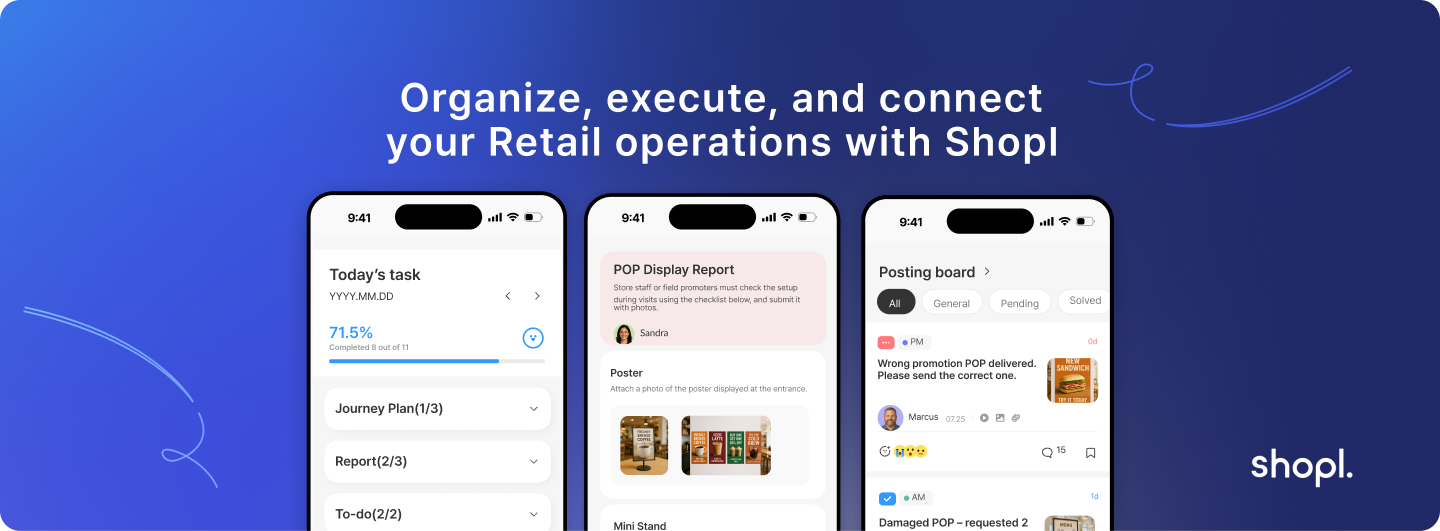
Shopl's workforce management platform includes specialized features for promoter attendance tracking, including GPS verification, photo check-ins, and campaign-specific time tracking designed specifically for retail field teams. The system integrates attendance data with task management and store reporting, providing complete visibility into promoter performance and campaign execution. Learn more about Shopl's retail workforce features and how they can streamline your promoter management operations.
Effective promoter attendance tracking requires the right combination of technology, implementation planning, and ongoing management support. The investment in proper systems pays off through improved campaign performance, reduced administrative overhead, and better visibility into field operations across your retail network.









