샤플 이용료 80% 지원 받기

Daily merchandiser reports are your most direct insight into what's happening at store level every single day. When structured correctly, these reports become the foundation for rapid decision-making, identifying performance gaps, and maintaining brand standards across your retail network. The key is capturing critical data points without overwhelming field teams or delaying actionable insights.
The most impactful merchandiser reports focus on five essential data categories: product availability, display compliance, competitor activity, customer feedback, and operational issues. These aren't just random checkboxes — each connects directly to revenue drivers and brand standards.
Stock-out information should include specific SKUs, estimated lost sales impact, and expected restock timing. Many reports miss the estimated impact piece, which prevents managers from prioritizing urgent restocks versus routine replenishment. Display compliance data needs to capture both what's wrong and what's driving the non-compliance — is it space constraints, staff training gaps, or competing priorities?
Competitor intelligence becomes actionable when it includes pricing changes, new product launches, and promotional activity with specific dates and store locations. Generic "competitor doing promotion" notes don't help headquarters adjust strategy, but "Store X has 20% off competing SKU Y, running through Friday" enables immediate response.
Morning reports submitted by 10 AM enable same-day corrections, while end-of-day reports often sit until the following morning. The timing depends on your merchandiser's route structure and what decisions the reports need to support.
For high-velocity categories or promotional periods, twice-daily snapshots prevent small issues from becoming major problems. Regular periods might only require comprehensive daily reports with critical-issue alerts sent immediately. The key is matching report frequency to business rhythm — more reports during launches, fewer during stable periods.
Every report starts with visit basics: store location, visit time, key personnel present, and overall store condition score. This context helps managers understand the environment behind the data.
The personnel section matters more than many realize. Knowing whether the store manager, category lead, or only floor staff were available explains compliance gaps and influences follow-up strategy. A store struggling with display standards when only junior staff are present requires different intervention than one where trained managers aren't executing properly.
Visit duration tracking helps identify efficiency opportunities and ensures adequate coverage. If reports consistently show 15-minute visits but compliance scores are dropping, either more time is needed or the merchandiser needs focused training on priority identification.
Successful product sections combine availability data with sales velocity indicators. Raw stock levels don't tell the full story — a fully stocked slow-moving item looks different from an empty fast-turner that needs immediate attention.
Effective compliance tracking goes beyond yes/no checkboxes to include severity scoring and improvement timelines. A slightly crooked shelf display rates differently than completely missing promotional materials, but both need documentation.
Photo requirements should be specific and purposeful — shots of non-compliant displays, competitive setups, and successful implementations. Random store photos add file size without adding value. Each photo needs a clear caption explaining what the image demonstrates and why it matters.
Mobile-first templates prioritize speed and essential data capture. Field teams complete these in 3-5 minutes per store using dropdown menus, photo uploads, and pre-populated SKU lists.
Key sections include: store dropdown, visit time auto-populate, stock status checkboxes for priority SKUs, display compliance score (1-5 scale), one photo upload, and comments field for critical issues only. The entire form should be completable without typing more than 50 words.
Comprehensive desktop reports work for complex categories or flagship locations requiring deeper analysis. These typically take 10-15 minutes but provide data for trend analysis and strategic planning.
Desktop formats allow for category-by-category breakdowns, competitive comparison tables, and detailed improvement recommendations. They're ideal for weekly deep-dives or monthly store assessments rather than daily routine reporting.
The biggest trap is collecting everything instead of collecting what matters. Reports with 47 data points that take 20 minutes to complete get rushed or skipped entirely, while reports missing key business drivers provide incomplete pictures.
Focus on the 5-7 metrics that directly connect to your quarterly goals. If you're launching new products, track availability and display compliance religiously. If you're fighting competitive pressure, monitor competitive pricing and promotional activity. Everything else becomes secondary data.
Reports submitted after 2 PM rarely influence same-day decisions. Morning stock-outs become full-day lost sales, pricing errors run through peak shopping hours, and competitive intelligence becomes historical data instead of actionable intelligence.
Set clear submission deadlines and build accountability measures. Many successful programs use morning deadline with afternoon follow-up for critical issues only. This prevents report fatigue while ensuring urgent situations get immediate attention.
Modern reporting systems can auto-populate store information, pull recent sales data, and pre-load SKU lists based on category assignments. This reduces manual data entry from 10 minutes to 2 minutes while improving accuracy.
GPS verification confirms store visits and auto-timestamps submissions. Photo geo-tagging provides additional verification while helping managers understand specific store layouts and challenges. These aren't surveillance tools — they're efficiency and accuracy improvements.
Effective report review happens within 4 hours of submission with clear follow-up protocols for different issue types. Critical issues get immediate phone calls, standard compliance gaps get next-visit assignments, and trend analysis feeds weekly planning sessions.
Create review templates that match field report categories. If merchandisers track five key areas, managers need five-section review checklists with pre-defined response criteria. This prevents important issues from getting lost in email threads or forgotten in meeting notes.
The most meaningful measurement connects report frequency and quality to actual store performance metrics. Stores with consistent daily reporting should show better availability, compliance scores, and category performance than stores with irregular reporting.
Track report-to-action cycles — how quickly stock-outs get resolved, compliance issues get fixed, and competitive threats get addressed. Fast action cycles indicate effective reporting systems; slow cycles suggest process breakdowns or unclear responsibilities.
Review report data monthly to identify patterns, training needs, and process improvements. Are certain stores consistently struggling with the same compliance issues? Do specific merchandisers consistently spot problems early? Is report quality improving or declining over time?
Use quarterly analysis to refine report templates and adjust data collection priorities. Categories that never show variations might need less frequent tracking, while areas with consistent problems might need additional data points or different measurement approaches.
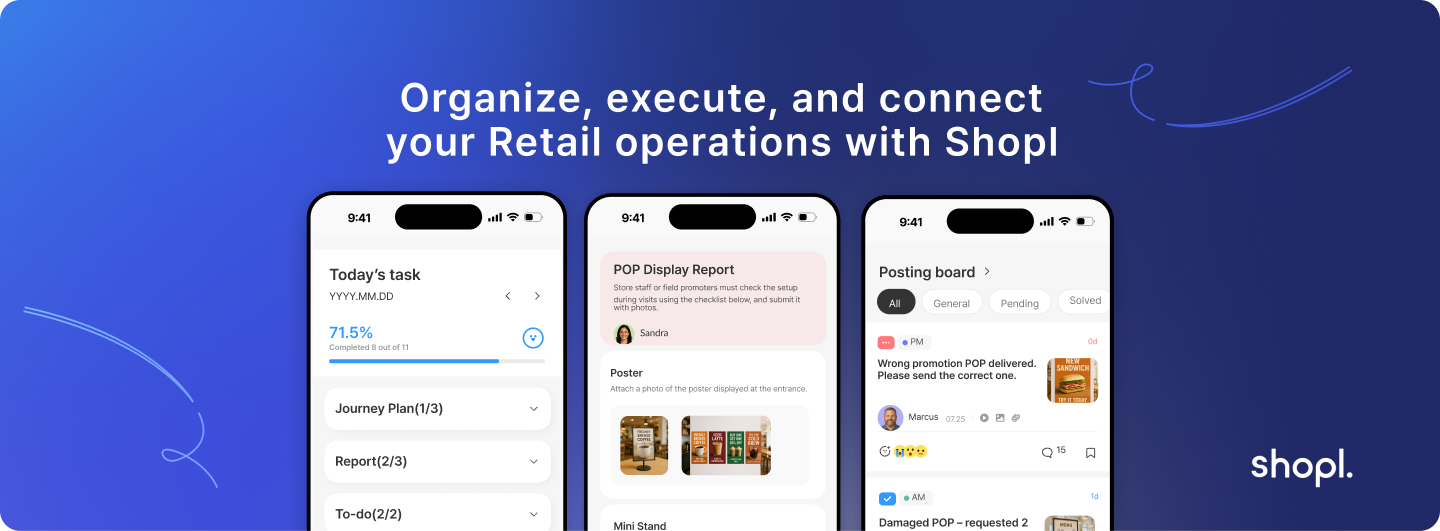
Shopl's field reporting capabilities help retail teams standardize merchandiser reports while maintaining flexibility for different store formats and categories. The platform's mobile-first design enables quick data capture in the field, while automated workflows ensure reports reach the right managers for immediate action. Teams using Shopl's reporting tools typically see 40% faster issue resolution and 25% improvement in compliance scores through streamlined data collection and automated follow-up processes. You can explore these reporting features and see how they integrate with your existing operations at Shopl.
Consistent, focused merchandiser reporting transforms scattered store visits into systematic performance improvement. The key isn't collecting more data — it's collecting the right data at the right time and acting on it quickly. When field teams know their reports directly influence decisions and improvements, report quality improves dramatically, creating a positive cycle of better information leading to better results.
A. Daily reports should take 3-5 minutes for routine visits and up to 10 minutes for comprehensive assessments. If reports consistently take longer, the template likely includes too many non-essential data points. Focus on the 5-7 metrics that directly impact your business goals and use dropdown menus or checkboxes instead of open text fields wherever possible.
A. Morning submissions by 10 AM enable same-day corrections, while reports after 2 PM typically wait until the next day for action. The ideal timing depends on your team's decision-making rhythm and store visit schedules. For high-priority locations or promotional periods, consider requiring submission within 1 hour of visit completion.
A. Photos should be purposeful, not routine. Include images for non-compliance issues, competitive activity, successful displays worth replicating, and any situation that's difficult to describe in text. Avoid random store shots or redundant documentation. Each photo should have a clear caption explaining what it demonstrates and why it matters.
A. Review templates quarterly and update them when business priorities change. During product launches, promotional periods, or competitive campaigns, you might need temporary additional data points. Regular periods allow for streamlined templates focused on core metrics. Always test template changes with a small group before rolling out network-wide.
A. Missed reports create blind spots that compound quickly in retail environments. Establish clear expectations with backup procedures for sick days or schedule changes. Consider automated reminders and escalation protocols — if a merchandiser hasn't submitted by the deadline, their manager gets alerted. Consistent reporting gaps usually indicate workload issues, training needs, or template problems rather than negligence.