
샤플 이용료 80% 지원 받기

Field force management transforms scattered remote teams into coordinated, productive units through real-time tracking, automated scheduling, and mobile-first communication systems. Modern field workforce management apps reduce operational overhead by 25-40% while increasing team accountability and customer satisfaction.
Remote teams are the backbone of retail operations, yet managing them effectively remains one of the biggest challenges for operations managers. Whether you're coordinating store audits across 50 locations or ensuring promotional campaigns execute properly in the field, visibility and control become exponentially harder as your team spreads across territories.
This guide walks you through proven field force management strategies that actually work in retail environments, from choosing the right technology stack to avoiding implementation pitfalls that damage team morale.
Managing field teams feels like flying blind most days. You send people out in the morning with clear instructions, then spend the rest of the day wondering if tasks are getting done, if teams are where they should be, and whether customer commitments are being met.
The 3 PM panic is real — that moment when you realize you have no idea if your field team completed their morning store visits or if they're stuck dealing with an unexpected issue. Most managers discover problems only when customers complain or when end-of-day reports reveal missed tasks.
GPS tracking helps, but location alone doesn't tell you if your merchandising team actually set up the new promotional display or if your audit team found compliance issues that need immediate attention. Without task-level visibility, you're managing assumptions rather than facts.
The ripple effect hits hard. Missed store visits mean promotional campaigns launch late. Incomplete audits leave compliance gaps unaddressed. Delayed problem escalation turns small issues into customer complaints that reach headquarters.
Field teams work in environments where quick decisions matter. A promotional display that's supposed to go live Monday morning but gets delayed because the field team couldn't reach anyone for approval costs sales every hour it stays down.
WhatsApp groups and phone calls don't scale beyond 5-6 people. With larger teams spread across multiple territories, critical information gets lost in message threads, and urgent issues get buried under routine updates.
The worst part? Field teams often know about problems before headquarters does — stockouts, competitor activity, customer concerns — but by the time this intelligence reaches decision-makers, the opportunity to respond effectively has passed.
Your field force management system needs to answer three questions instantly: where are my people, what are they doing, and are they on schedule?
GPS tracking alone isn't enough. You need task-level visibility that shows when someone started a store visit, which specific activities they completed, and any issues they encountered. Look for systems that let field teams check in at locations, upload photos of completed work, and flag problems that need management attention.
Time-stamped task completion creates accountability without micromanagement. Field teams know their work is visible, but they're not being watched every minute. This balance builds trust while maintaining oversight.
Everything needs to work perfectly on smartphones. Your field teams live on their phones, and any system that requires them to find WiFi or use a laptop won't get adopted.
Push notifications for urgent issues, in-app messaging for routine communication, and offline functionality for areas with poor cell coverage. If your field team can't use the app while standing in a basement stockroom, it's not fit for purpose.
Two-way communication is critical. Field teams need to report issues up, but they also need to receive updates about changed priorities, new tasks, or customer requests that affect their current work.
Manual scheduling becomes impossible once you're managing more than a handful of field staff across multiple territories. Route optimization can save 15-20% of travel time, which translates directly into more customer visits or earlier completion of daily tasks.
Your system should consider traffic patterns, customer priority levels, and task duration when building routes. Dynamic rescheduling handles the reality of field work — when one store visit runs long or a new urgent task comes in, the system automatically adjusts the rest of the day.
Integration with calendar systems means your field teams see their optimized schedule in their preferred app, reducing friction and missed appointments.
Basic time clock apps track when people start and stop work but provide no insight into productivity or task completion. GPS tracking shows location but doesn't indicate whether work quality meets standards.
Effective field force management combines both with task management. You need systems that track location-based check-ins tied to specific tasks, photo documentation of completed work, and digital forms that capture standardized information from each field visit.
Your field force management system doesn't exist in isolation. It needs to connect with your existing scheduling software, customer relationship management system, and reporting tools to avoid creating data silos that require manual updates.
Look for systems with APIs that can push field activity data into your main operations dashboard. When a field team completes a store audit, that information should automatically update inventory systems, compliance tracking, and customer records without manual data entry.
Integration also means your field teams can access customer information, previous visit history, and specific task requirements directly within the field app, reducing errors and improving service quality.
The biggest implementation failure is treating field force management like surveillance software. Minute-by-minute location tracking and excessive photo requirements create resentment and encourage teams to find workarounds rather than embrace the system.
Effective field force management focuses on outcomes, not activities. Track task completion, customer satisfaction, and achievement of daily objectives rather than monitoring bathroom breaks or lunch locations. Your best field staff will quit if they feel like they're being treated as untrustworthy.
Set clear expectations about what gets tracked and why. Frame monitoring as support for field teams — helping them organize their day, providing backup when they encounter problems, and ensuring they have the resources needed to succeed.
Field teams work in fast-paced environments where simple, intuitive interfaces are essential. Apps that require extensive training or multiple steps to complete basic tasks won't get adopted, no matter how powerful their backend functionality.
Test your chosen system with actual field staff before full implementation. If someone can't figure out how to check into a location and complete a task within 30 seconds of opening the app, it's too complicated for field use.
Remember that field teams often wear gloves, work in bright sunlight, or operate in noisy environments. Your app interface needs to work under these conditions with large buttons, high contrast, and minimal text input requirements.

Must-have features solve daily operational problems: location-based check-ins, task completion tracking, photo documentation, and basic communication tools. These features directly impact your ability to manage field operations effectively.
Nice-to-have features enhance the experience but shouldn't drive your selection decision: advanced analytics dashboards, integration with 15+ third-party tools, or sophisticated route optimization algorithms that provide marginal improvements over basic routing.
Per-user pricing makes sense for teams with predictable headcount, but retail field operations often involve seasonal staff, part-time workers, and contractor teams that make user-based pricing expensive and complicated to manage.
Flat-rate pricing provides budget predictability but only makes financial sense once you reach a certain team size. Calculate your break-even point by comparing per-user costs across different team sizes throughout the year, including peak seasons.
Consider implementation costs beyond software licensing: training time, system integration, and ongoing support. A cheaper system that requires extensive customization or frequent technical support may cost more than a premium solution that works out of the box.
Start with a pilot group of 3-5 experienced field staff who can provide honest feedback about the system's usability and effectiveness. Don't roll out to your entire team until the pilot group is successfully using all core features.
Focus initial setup on essential workflows: how field teams check into locations, complete standard tasks, and report problems. Complex features like advanced reporting or integration with secondary systems can wait until basic operations are running smoothly.
Train team leads first, then have them train their direct reports. Peer training often works better than formal training sessions because field staff can ask practical questions about how features apply to their specific daily routines.
Track adoption metrics alongside operational outcomes. System usage rates below 80% indicate training or usability issues that need immediate attention, regardless of whether the software is technically working properly.
Monitor task completion rates, response times for issue escalation, and field team feedback about system effectiveness. Early implementation often reveals workflow gaps or feature needs that weren't obvious during the selection process.
Adjust your processes based on real usage patterns rather than theoretical workflows. If field teams consistently skip certain features or find workarounds for standard processes, the system needs adjustment — not more training.
Field force management succeeds when it makes your team's job easier while giving you the visibility needed to support their success. The best systems fade into the background, becoming natural parts of daily workflows rather than additional administrative burden.
A. Field force management focuses on coordinating and tracking remote teams across multiple locations — think retail district managers, merchandising teams, or promotional staff. Field service management centers on technicians or service workers who respond to specific customer requests or maintenance needs. Field force management emphasizes team coordination and territory coverage, while field service management prioritizes customer service delivery and technical work completion.
A. Most field workforce management platforms cost between $15-45 per user per month, with enterprise solutions reaching $60+ per user. Flat-rate pricing for teams over 25 people often provides better value, ranging from $800-2,500 monthly. Implementation and training costs add $2,000-10,000 depending on customization needs and team size.
A. Quality field force management apps include offline functionality for core features like task completion, photo capture, and basic data entry. Apps sync automatically when connectivity returns, ensuring no work gets lost. However, real-time communication and GPS tracking require active internet connection, so offline capabilities focus on individual productivity rather than team coordination.
A. Most retail operations see 15-25% improvement in field team productivity within 3 months of implementation. Typical ROI includes reduced travel time, faster issue resolution, and improved task completion rates. Hard savings come from reduced management overhead, fewer missed customer visits, and faster response to operational problems. Break-even typically occurs within 6-12 months for teams of 10+ field staff.
A. Focus on features that make their jobs easier rather than just providing management visibility. Apps that help with navigation, provide quick access to customer information, or simplify reporting get adopted faster than those that feel like surveillance tools. Involve field staff in system selection, provide hands-on training, and address usability concerns quickly during initial rollout.
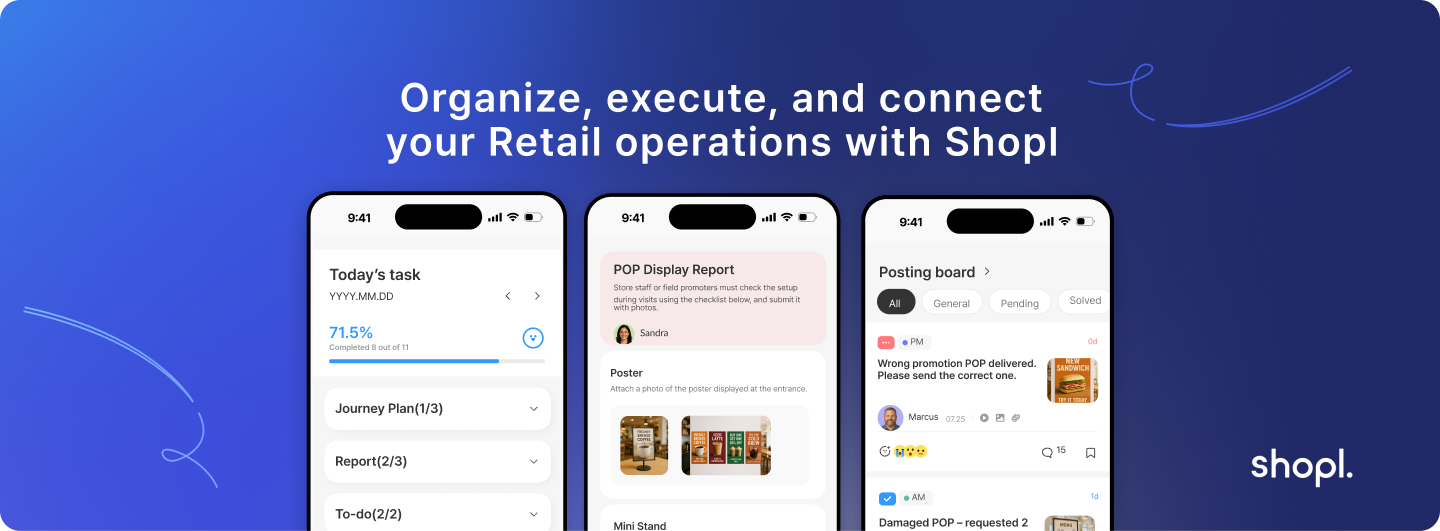
Modern retail operations require field force management that adapts to the reality of distributed teams working across multiple locations and time zones. Success comes from choosing systems that balance management visibility with field team productivity, creating accountability without micromanagement.
Shopl provides integrated field force management capabilities designed specifically for retail operations teams. Our platform combines real-time location tracking, task management, and mobile communication in a system built for the fast-paced retail environment. With features like automated scheduling, photo-based task completion, and seamless integration with existing retail systems, Shopl helps operations managers maintain visibility while supporting field team productivity.
The platform's offline functionality ensures field teams stay productive even in areas with limited connectivity, while real-time reporting keeps management informed about task completion and emerging issues. Teams using Shopl typically see 20-30% improvement in field productivity within the first quarter of implementation.
Effective field force management transforms retail operations from reactive firefighting to proactive team coordination. When field teams have the tools they need to succeed and management has the visibility required to provide support, everyone benefits — improved efficiency, better customer service, and reduced operational stress across the entire organization.









