
샤플 이용료 80% 지원 받기

🤔 Every store has different things to check and different information to report. When everyone's working off the same generic form, critical items get missed — photos skipped, required fields left blank, dropdown selections ignored.
After the reports come in, you're still chasing people down: "Please reattach the photo." "This section wasn't filled in." By the time you've sorted through submissions from a dozen locations, there's no time left to actually act on what the data is telling you.
There's a better way to run this. Build report forms that match the actual work — so the right information gets collected the first time, without the back-and-forth.
👉 With Shopl, you can build custom report forms using photos, signatures, dropdowns, barcodes, and more — then set required fields and conditional logic so nothing slips through.
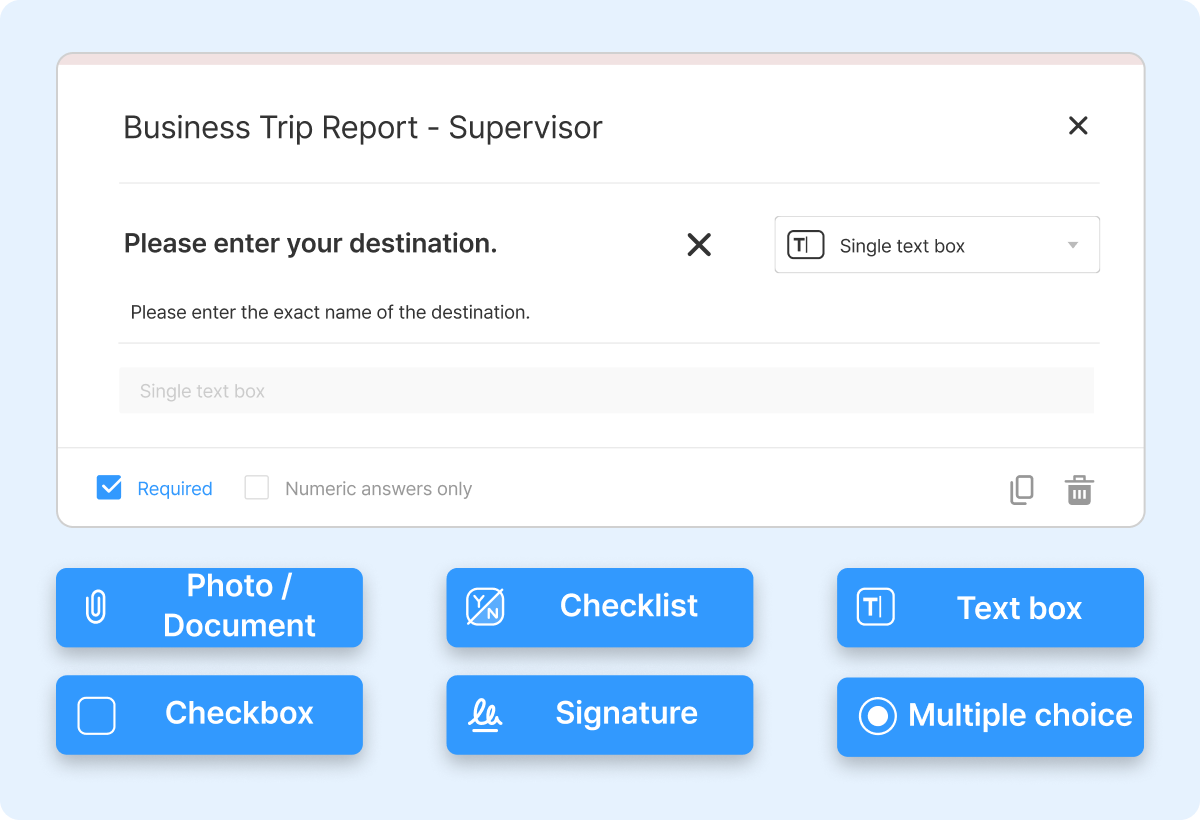
Different jobs need different information. Shopl lets you build report forms from scratch, combining text fields, photo uploads, signatures, dropdowns, barcodes, and more — arranged in whatever order makes sense for the task.
No need to design separate documents for each use case. Whether you're running a store walk, logging a maintenance issue, filing an incident report, or collecting daily task updates, you can set up the right form for the job without starting from zero each time.
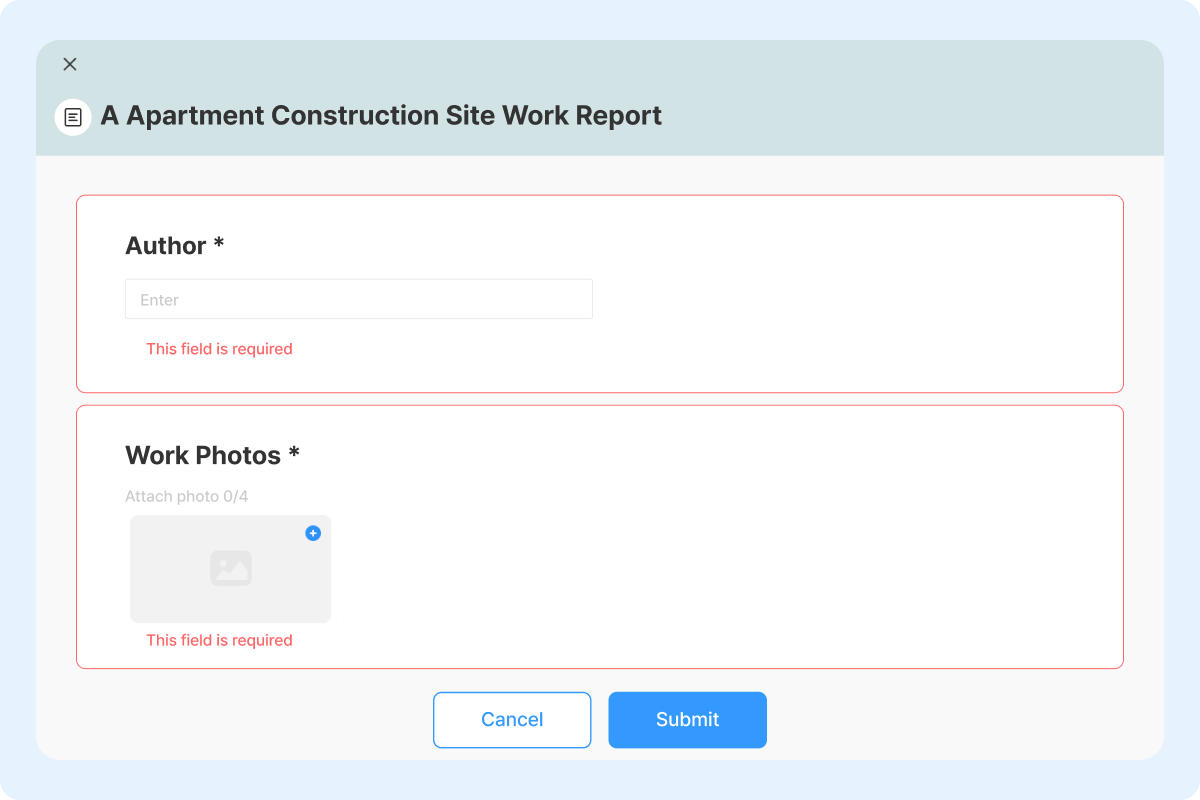
Make specific fields required so employees can't submit until everything is filled in. No more following up on missing photos or blank checkboxes — the form won't let them through.
You can also set up conditional branching: depending on what someone selects in a dropdown, the next question changes automatically. This keeps forms lean — employees only see the fields that are relevant to their situation — while ensuring the right details are always captured.
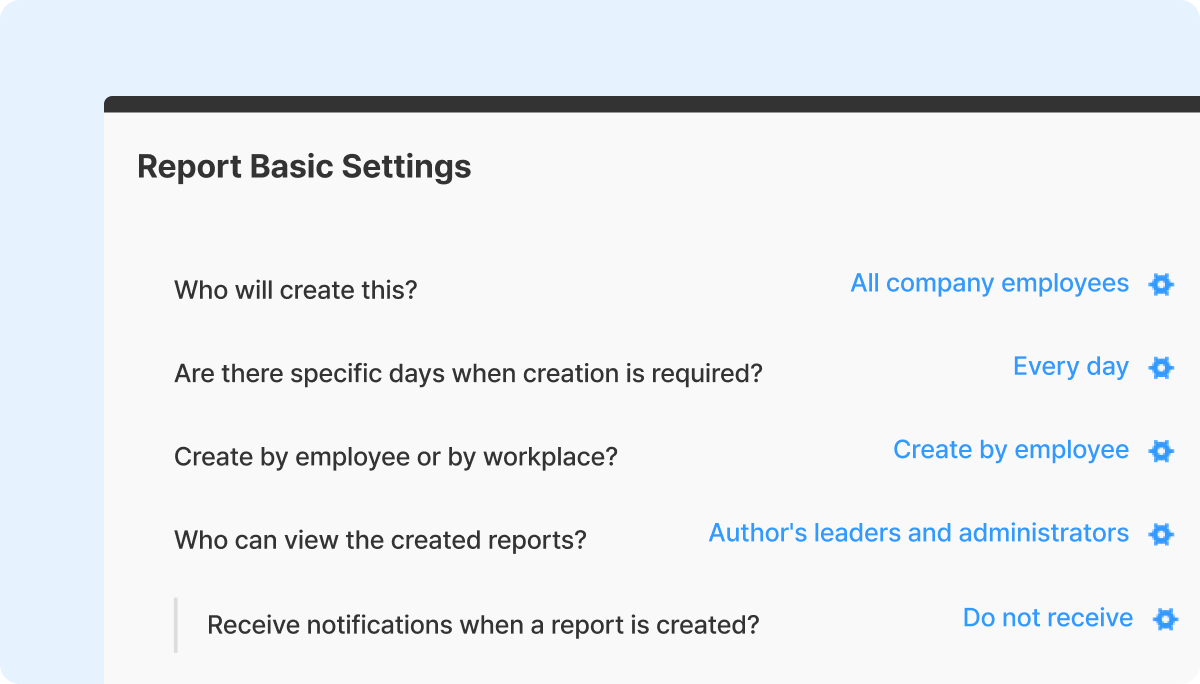
Not every report works the same way. Some need to be completed by store, others by individual employee. Some have hard deadlines; others are ongoing. Shopl lets you configure each report form independently — who it's assigned to, when it's due, whether it's tracked by workplace or per employee, who can view submitted reports, and whether managers get notified when it's done.
Set this up once and the process runs itself. Employees know exactly what's expected, and you don't have to send reminders or clarify instructions every time.
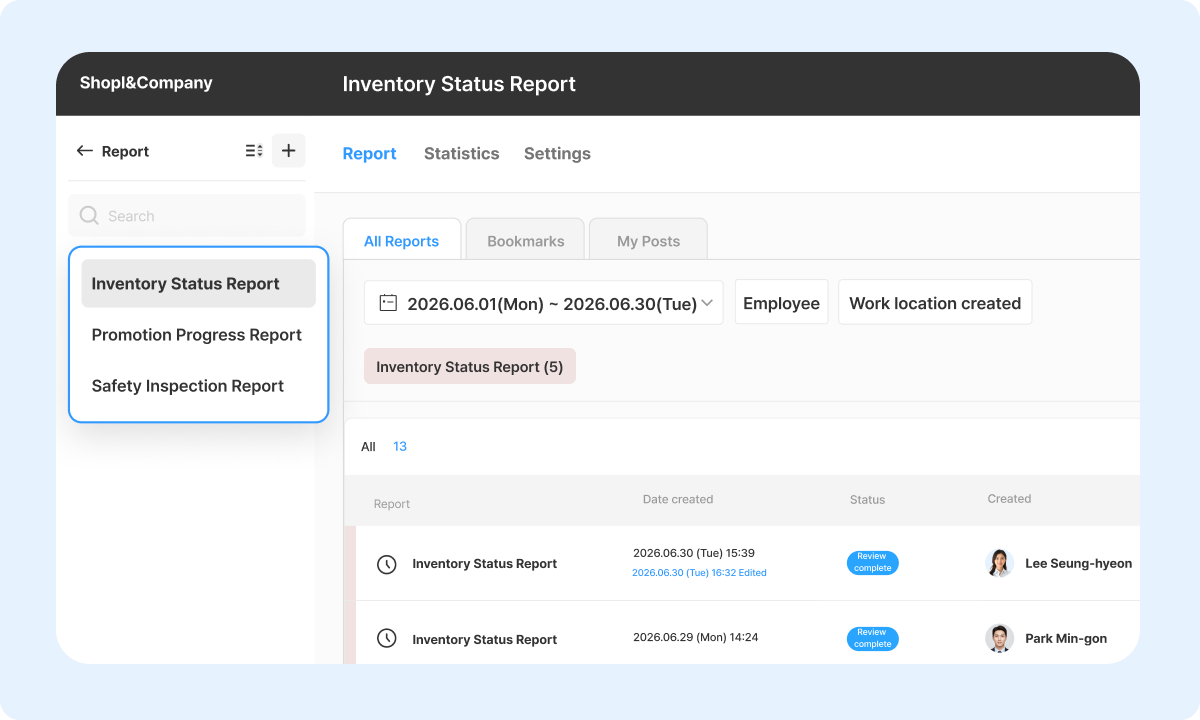
Once reports are submitted, everything is visible in one place. Filter by form type, store, or date range to see what's been submitted and what's still missing — without opening individual messages or asking for updates.
The time you used to spend collecting and organizing reports can go toward actually using the data to make decisions.
A. Yes, you can.
You can update question wording, change the response format, reorder items, and add or delete fields at any time from the form editor. Keep in mind that changes won't apply retroactively to reports that have already been submitted — so if the form is actively in use, it's worth checking the current submission status before making changes.
A. Yes. Each photo field allows up to 4 images, with a file size limit of approximately 10MB per image.
Chasing resubmissions and manually sorting through incomplete reports takes time that should be spent on the work that actually matters. With Shopl, you can build forms that fit the job, lock in required fields so nothing gets missed, and track submissions across every store from a single view. If your current reporting process isn't working, the Reports feature is a straightforward place to start fixing it.













